
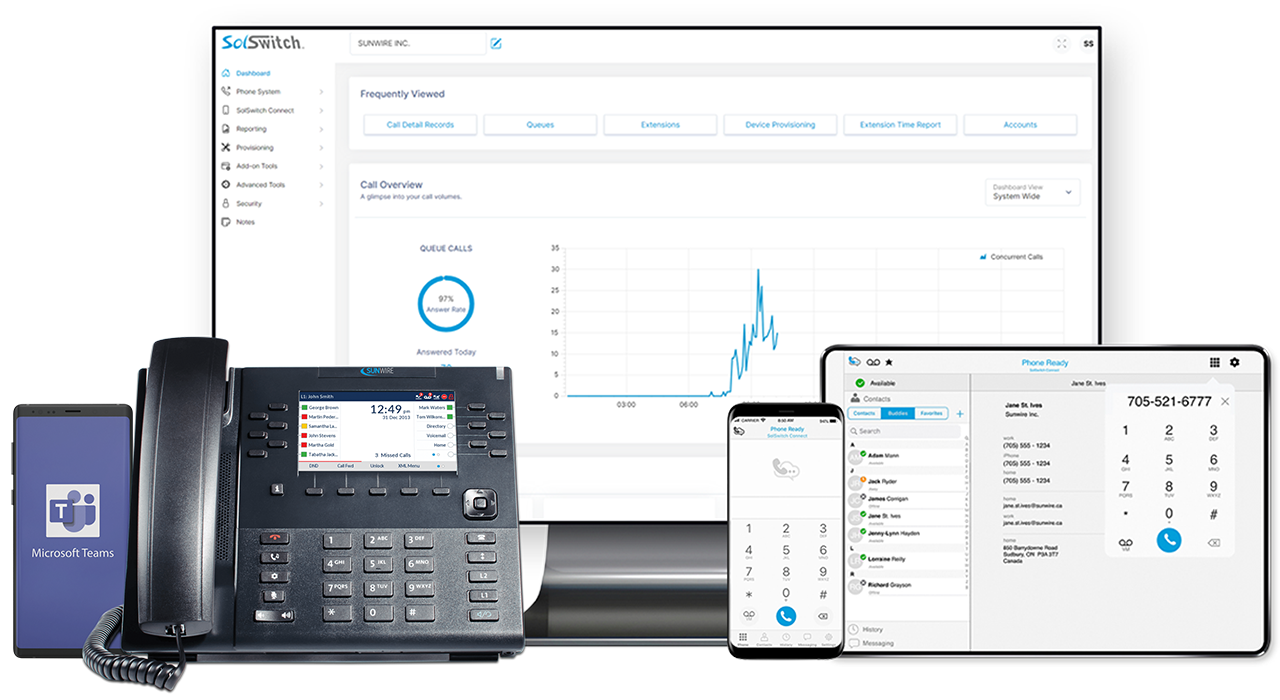
An advanced, easy-to-use and customizable business phone system hosted in the cloud.
Cloud Hosted PBX keeps your phone system in the cloud instead of your server room. Manage phone numbers, queues, extensions, call routing and more from a web-based portal while your team works from the office, at home or on the road.
- No PBX hardware to manage.
- Per-user monthly pricing.
- Built on the SolSwitch Communications Platform.
Why Choose a Cloud Hosted PBX?
Key Advantages
- No on-premise PBX server required at each site.
- Scales easily as you add users, locations or queues.
- Great fit for remote and hybrid work environments.
- Predictable monthly billing with per-user pricing.
- Automatic access to platform enhancements and new features.
- Cloud: simpler infrastructure, easier to support remote staff.
- On-Premise: more control over where hardware and data live.
- SolSwitch supports both models – including hybrid deployments.
- Hosted PBX is ideal when you want minimal on-site equipment.
Single Number
Use 1 phone number for calls and texts.
Customizable
Configure every aspect of your system.
AI Automation
Stay ahead with the latest AI tools.
Scalable
Startup or enterprise - we grow with you.
Developer APIs
Customized integration with existing systems.
Reliable & Secure
Protected by Guardian with 99.999% uptime.
SolSwitch Pricing
We offer flexible options for your organization.
SOLSWITCH PRO
/mo. per user
Unlimited Local Calling
(up to 2 concurrent calls per user*)
Includes DID (Phone Number)
Includes On-Going Support, Management & Maintenance
Includes 24/7 Emergency Support
Access to Administrator Web Portal
Access to All Reporting and Monitoring
Phone Rental Options (on 3-year terms)
SOLSWITCH PRO+
/mo. per user
Everything in SolSwitch PRO and:
Unlimited North America Calling2,3
(up to 2 concurrent calls per user*)
Unlimited Incoming Toll Free Calling
Unlimited Call Recording Storage
Unlimited Virtual Faxing Included
(Outbound Faxing and Fax-to-Email)
100 Minutes of Voicemail Transcription
100 Minutes of Urgent Call Transcription
500 Minutes of Non-Urgent Call Transcription
SOLSWITCH ENTERPRISE+
/mo. per user
Everything in SolSwitch PRO+ and:
Access to SolSwitch Connect or Microsoft Teams
Unlimited SMS/MMS Texting
Unlimited MCQ Messaging (SMS, Webchat, Meta)
Unlimited Minutes of Voicemail Transcription
Unlimited Text-to-Speech (Coming Soon)
250 Minutes of Urgent Call Transcription
1,250 Minutes of Non-Urgent Call Transcription
SolSwitch Plan Features and Pricing
We offer flexible options for your organization.
| All prices are in CAD = Included |
Pro
$14.95
/mo. per user
|
Pro+
$22.95
/mo. per user
|
Enterprise+
$29.95
/mo. per user
|
|---|---|---|---|
| Platform and User Interface Version 3.7.0 (Released: February 18 2025) | Includes SolSwitch version 3.0! Our fastest, latest and best software release. | ||
| Administrator Web Portal Access | |||
| Ticketing System Integration | |||
| 24/7 Emergency Support | |||
| CLOUD PHONE FEATURES | |||
| DIDs (Phone Numbers) Up to 1 DID per user. Porting fee not included.1 | |||
| Up to 2 Concurrent Calls per User Additional concurrent call capacity can be added.* | |||
| Unlimited Local Calling Includes incoming and outgoing calls | |||
| Unlimited North America Calling Per user. Anywhere in North America2,3 | Add $5/mo. | ||
| Incoming Toll Free Calling | $0.0174
per minute
|
||
| Outgoing North America Calling Anywhere in North America2,3 | $0.0174
per minute
|
||
| Call Recording Storage** | $0.05
per 1,000 minutes
|
||
| UNIFIED COMMUNICATIONS | |||
| Virtual Faxing Outbound Faxing and Fax-to-Email | $5.00/mo. | ||
| MCQ: Meta Messages and Web Chat7 All inbound and outbound messages. | $0.0035
per message
|
$0.0035
per message
|
|
| MCQ: SMS and MMS7 All inbound and outbound SMS. Only inbound MMS. | $0.011
per segment6
|
$0.011
per segment6
|
|
| MS Teams Direct Routing Access5 Monthly cost is per user. $500 one-time fee per domain. | $2.46/mo. | $2.46/mo. | |
| SolSwitch Connect (Softphone only)5 Mobile and desktop softphone. Monthly cost is per user. | $3.95/mo. | $3.95/mo. | |
| SolSwitch Connect (with IM and SMS)5 Mobile and desktop softphone. Monthly cost is per user. | $6.95/mo. | $6.95/mo. | |
| Unlimited SolSwitch Connect SMS7 | |||
| AI TOOLS | |||
| IVR Speech Recognition AI Speak to Auto-Attendants using voice commands. | |||
| Vocal Dial-by-Name AI Look up the Call Directory using voice commands. | |||
| Voicemail Transcription AI Voice recognition transcribed to email. | $0.032/min |
100 minutes
then $0.032/min.
|
Unlimited!
|
|
Text-to-Speech AI
(Coming Soon!)
Standard professional-generated voices.
|
$0.010
per 1,000 characters
|
$0.010
per 1,000 characters
|
Unlimited!
|
| Call Transcription AI - Non-Urgent A queued (up to 24 hrs) call transcription email of who said what. | $0.007/min |
500 minutes
then $0.007/min.
|
1,250 minutes
then $0.007/min.
|
| Call Transcription AI - Urgent A prioritized call transcription email of who said what. | $0.032/min |
100 minutes
then $0.032/min.
|
250 minutes
then $0.032/min.
|
| THIRD-PARTY INTEGRATIONS Below is a list of existing integrations. Additional fees may apply. | |||
| SolSwitch Connect | |||
| Microsoft Teams | |||
| Click-to-Dial | |||
| CallTheory WTCP | |||
| Northern911 Address Info | |||
| TaxiCaller | |||
| Oracle CX | |||
| CUSTOM INTEGRATIONS | |||
| "Low Code" Custom Scripting (Custom Scripting Document) | |||
| Custom SMS API Integration (SMS API Documents) | |||
| Custom SolSwitch API Integration (SS API Documents) | |||
| Need Custom Development? Integrate with your ERP, CRM or other platforms. | Let's talk, we can help! | ||
| ADD-ONS & EXTRAS | |||
| Phone Rental (Mitel 6900) On a 3-year contract. |
as low as
$4.28/mo.
|
as low as
$4.28/mo.
|
as low as
$4.28/mo.
|
| Additional Phone Numbers (DID) There is a one-time $10 porting fee to transfer DIDs | $1.25/mo. | $1.25/mo. | $1.25/mo. |
| Additional Toll-Free Numbers (TFN) | $2.00/mo. | $2.00/mo. | $2.00/mo. |
1 There is a one-time $10 porting fee to transfer DIDs.
2 Excludes Alaska, Hawaii, Northwest Territories, Yukon and Nunavut. See termination rates.
3 Must conform with reasonable use policy - see Terms and Conditions for details.
4 Minimum billing time is 30 seconds. After 30 seconds, billing time is in 6 second increments.
5 Enterprise+ plan includes access to either MS Teams OR SolSwitch Connect.
6 An SMS segment consists of a message up to 160 characters. Additional carrier fee may apply for outbound messages. See carrier fees in our SMS Rates.
7 Unlimited AI Tools and Messaging (MCQ, SMS, MMS, Webchat, Meta) must conform with reasonable use policy as specified in our Terms of Service.
* Additional concurrent phone call capacity may be added if there is a requirement for more than 2 per user (Local calling $19.95/month per channel or North America calling $22.95/month per channel. Contact Sales for more information.)
** Actual billing is based on storage space where approximately 1 minute of recording is considered 1 MB.
ONE COMMUNICATIONS PLATFORM FOR ALL YOUR TELECOM NEEDS
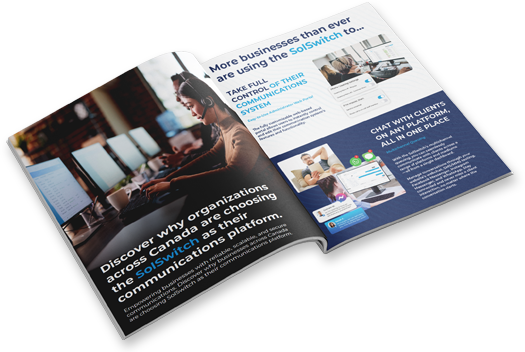
Discover how the SolSwitch delivers seamless connectivity designed to streamline your business communications.
SolSwitch Cloud Hosted PBX Offers
A fully customizable business phone system designed for modern organizations.
SolSwitch Cloud Hosted PBX Offers
A fully customizable business phone system designed for modern organizations.
Automatic Failover
Unified Communications
AI Tools & Analytics
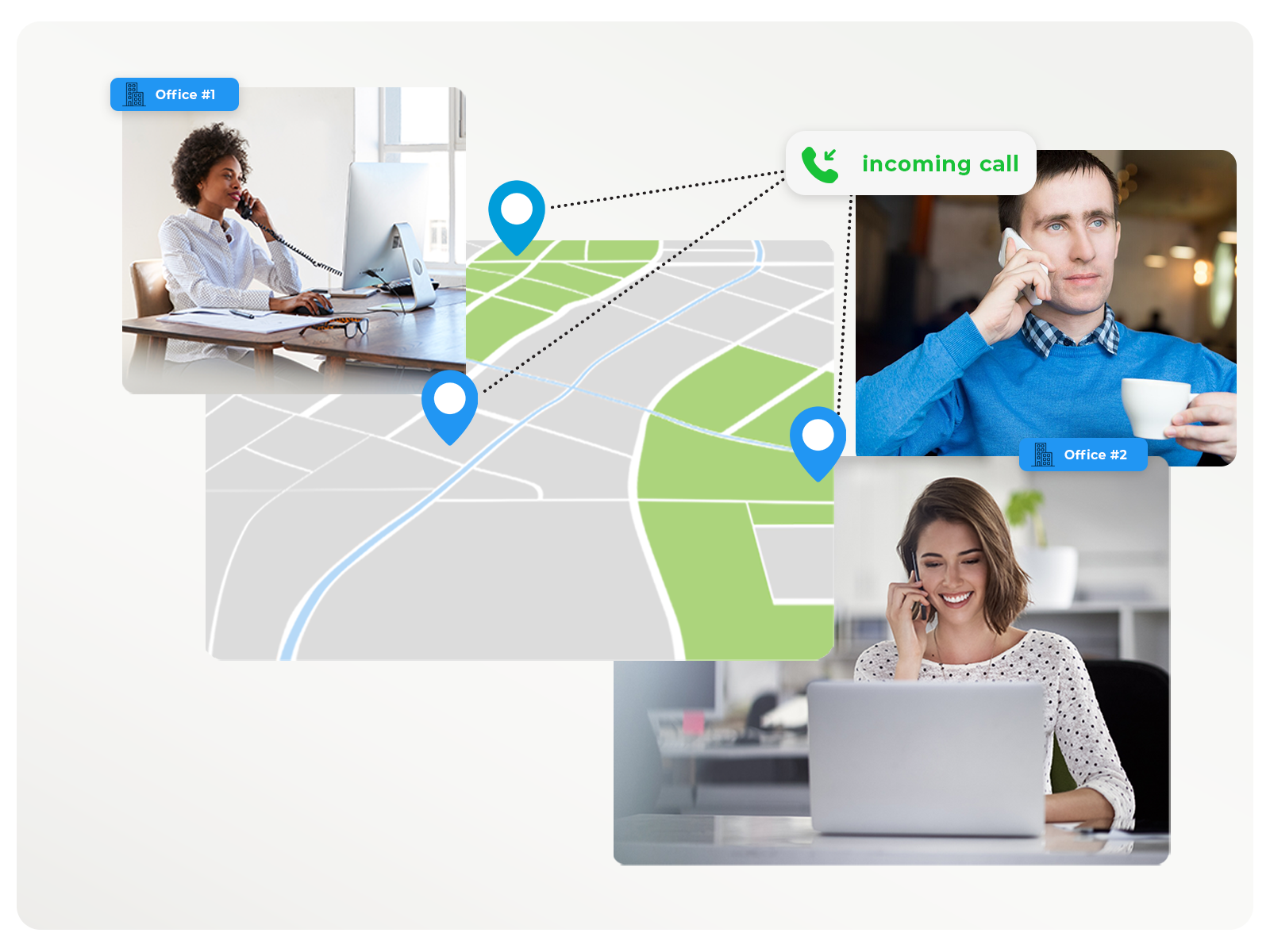
Built for Remote, Hybrid and Multi-Site Teams
Cloud Hosted PBX makes it easy to support multiple locations and remote staff without deploying separate systems at each office.
- Unify all locations on a single SolSwitch instance.
- Give each user a consistent extension and feature set.
- Add sites quickly as your organization grows.
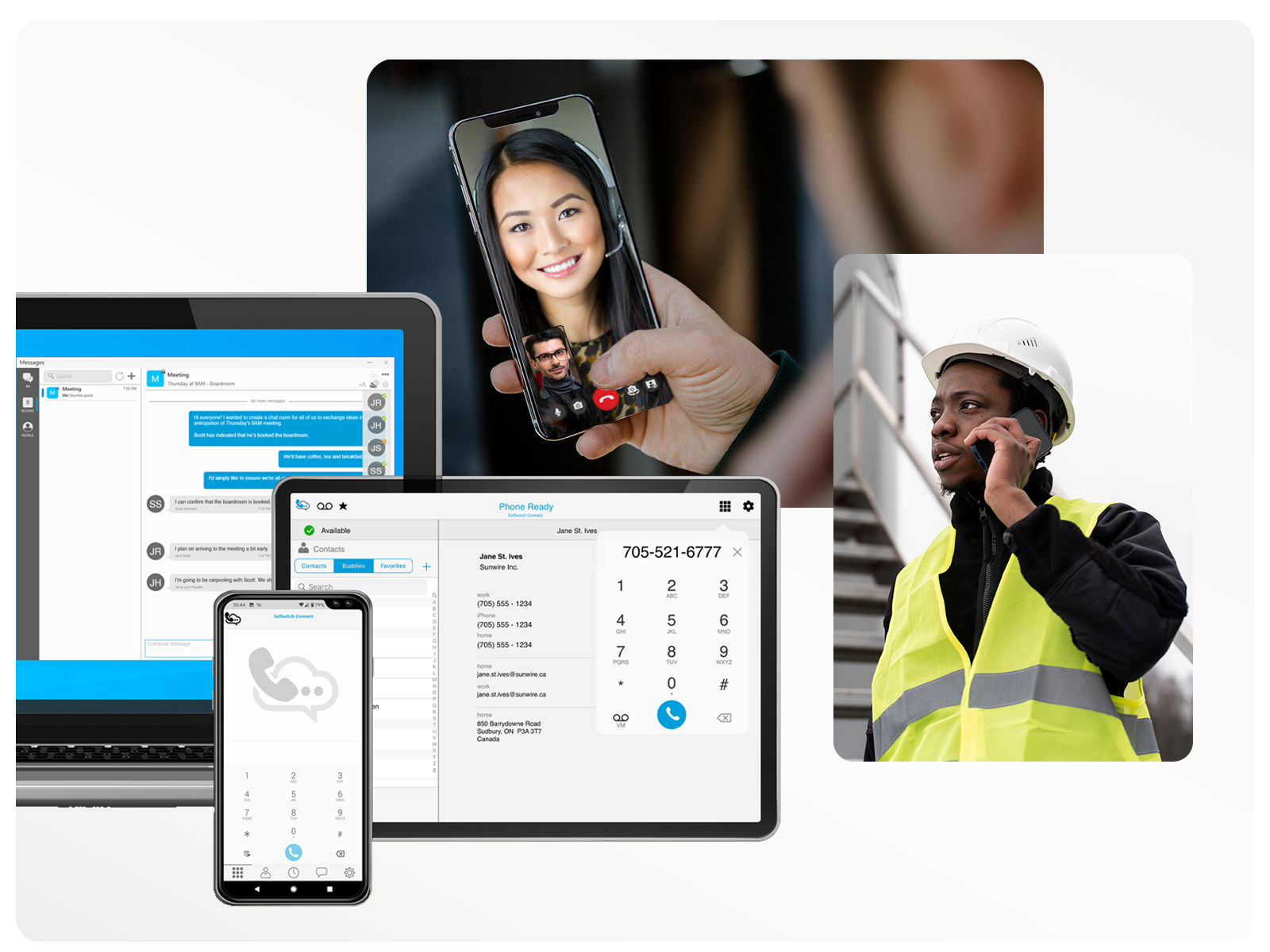
- Support home offices and mobile workers with softphones and Teams.
Reliability, Redundancy & Business Continuity
SolSwitch Hosted PBX is designed with redundancy, monitoring and failover options to help keep your communications available.
- Redundant cloud infrastructure and access.
- Options for failover routing and overflow destinations.
- 24/7 emergency support available for critical issues.
- Support for hybrid designs that combine cloud hosting with on-premise survivability.
Implement and Migrate
From install to training, deployment to cutover and on-going support.
Implement and Migrate
From install to training, deployment to cutover and on-going support.
-
How We Roll Out Our Hosted PBX From discovery to cutover we have you covered from start to finish.
-
Discovery: We'll review your current PBX, call flows, carriers and endpoints to get a full understanding of your existing environment.
-
Design: We will help map and configure extensions, queues, IVR auto-attendants, time rules, user profiles and more in the SolSwitch.
-
Build: Sunwire will configure your hosted environment, its devices and any required integrations with third-party applications.
-
Port: Move your numbers into the SolSwitch number. Keep whichever numbers you'd like, including toll-free numbers.
-
Cutover: Coordinate a planned go-live window once training is completed and all hardware and software is configured, tested and ready to go.
SolSwitch Training and Ongoing System Support
More Than a Phone System
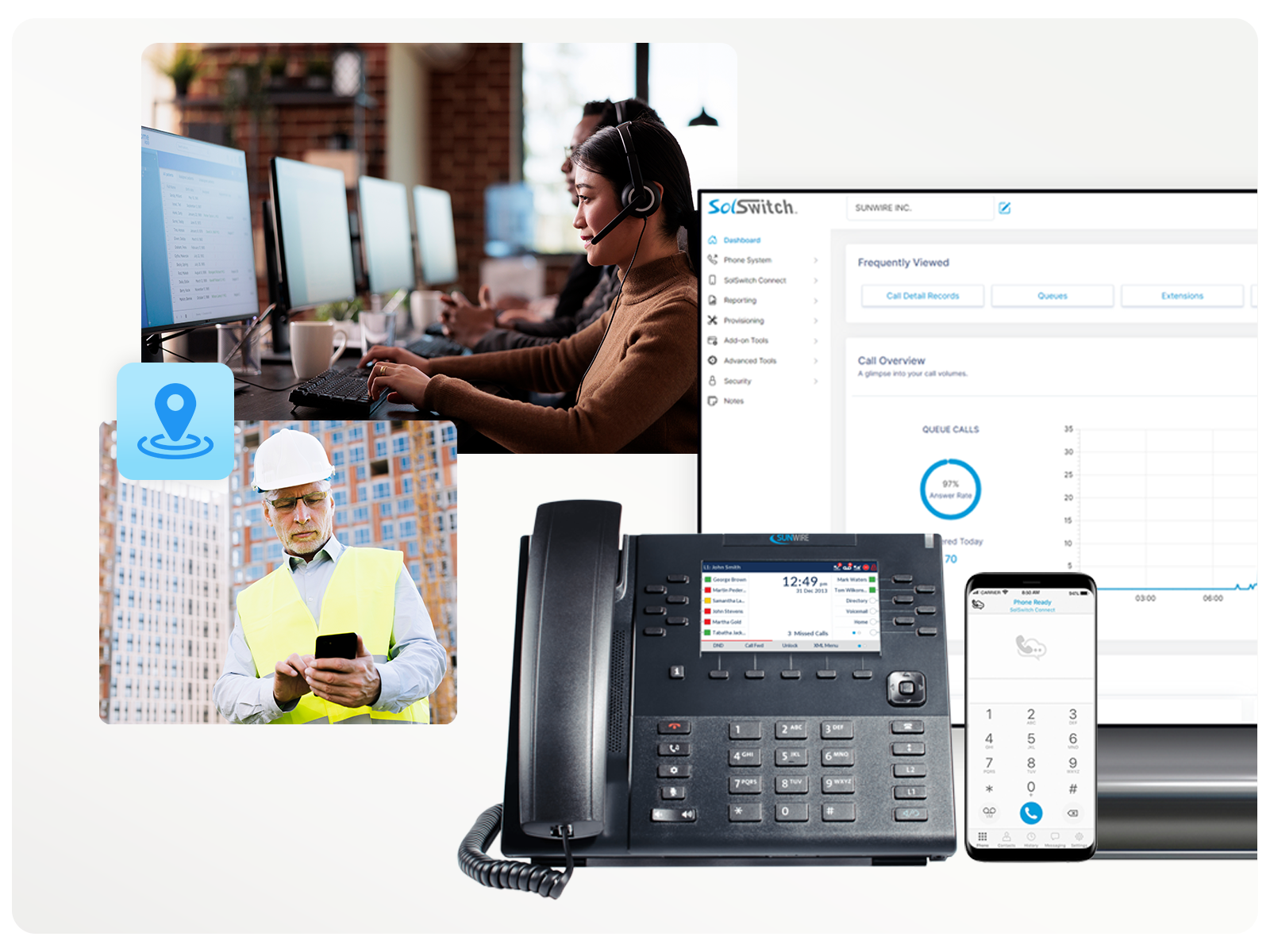
The SolSwitch offers a suite of Unified Communication tools.

Features & Functionality
Take total control and customize your system to meet your needs.
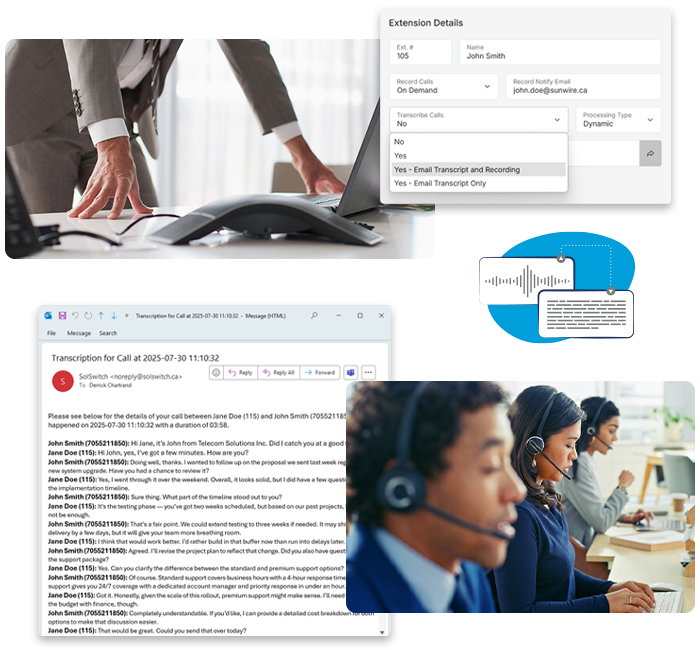
Call Transcription
Remembering every detail from an important call isn't always easy. Note-taking can slow you down, and relying on memory alone leaves room for mistakes. Turn conversations into clear, searchable records that help your business stay organized, efficient, and confident.
- Popular in the following industries:
- Legal
- Insurance
- Retail
- Manufacturing
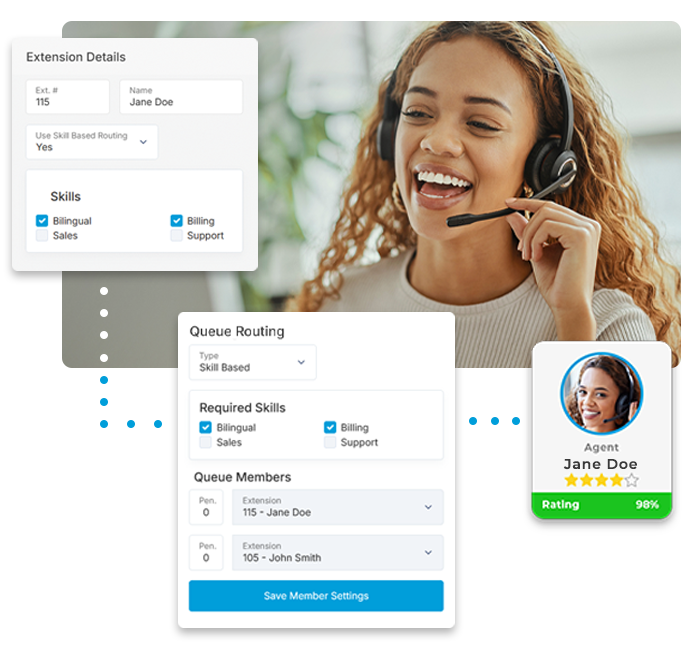
Skill-Based Queue Routing
Support for Skill-Based Routing allows for easier management of call queuing and call center environments that provide multiple services. The system automatically adds agents to the correct phone queues based on the individual agents' abilities. This ensures that callers are always reaching an agent with the proper skills to assist them.
- Popular in the following industries:
- Government
- Call Centres
- Customer Service
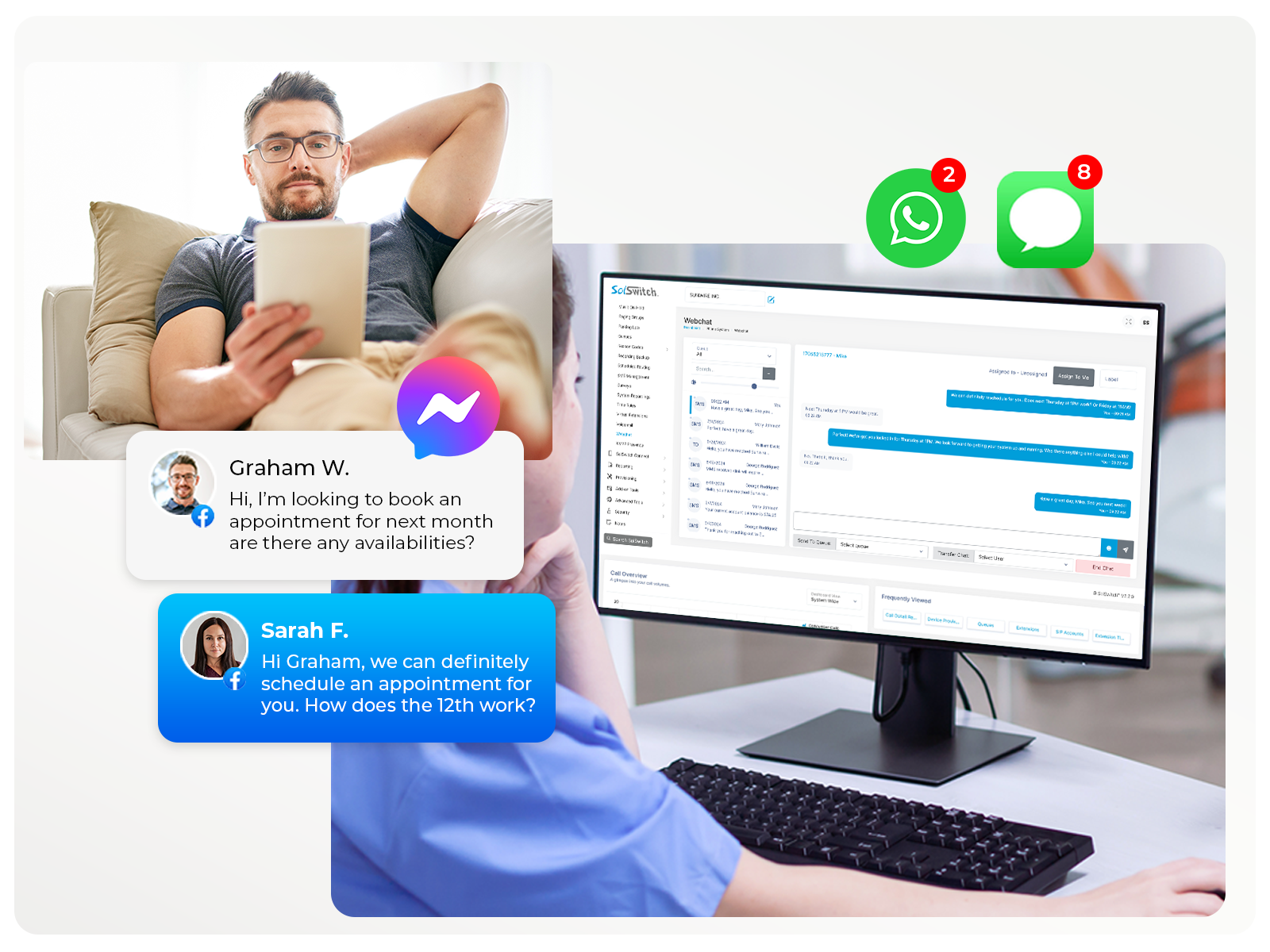
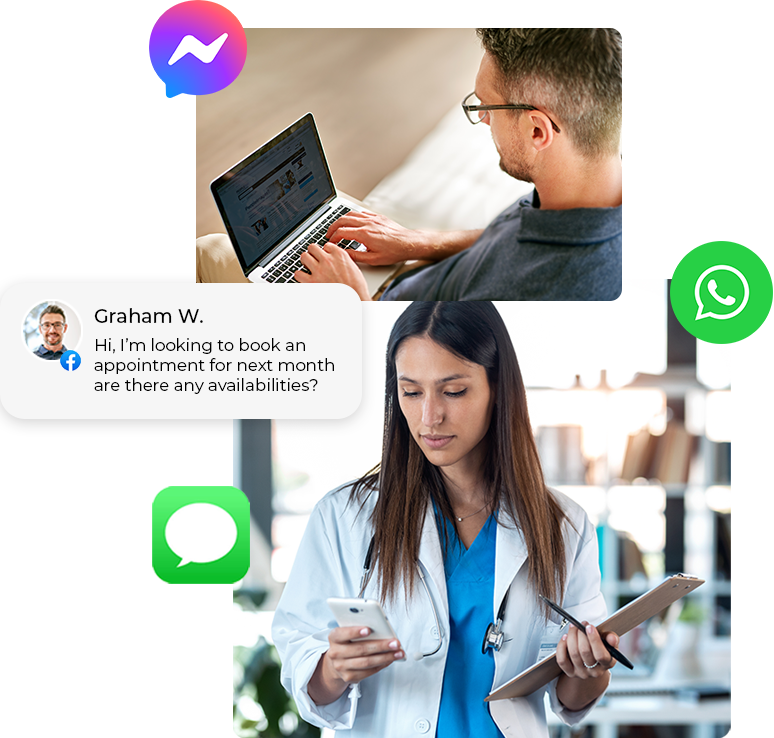
Multichannel Queuing (MCQ)
Manage different conversations with your clients using your website's Web Chat, SMS/MMS Texting, Facebook Messenger, Instagram Messenger and WhatsApp - all from a single SolSwitch dashboard.
- Popular in the following industries:
- Hospitality
- Insurance
- Transportation
- Customer Service
- Retail
Automated Queue Callbacks
Shrink wait times and eliminate no-shows by offering 'Queue Callbacks'. This feature allows a caller to retain their hold position in a phone queue and be called back by the system rather than wait on hold.
- Popular in the following industries:
- Healthcare
- Municipalities
- Insurance
- Call Centres

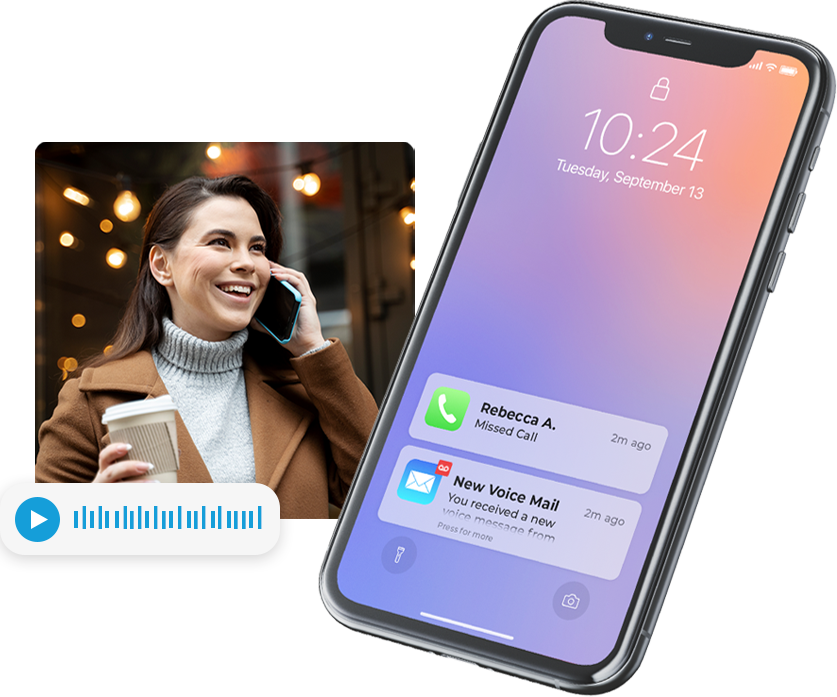
Voicemail-to-Email & Transcription
Voicemail messages can be delivered to one or multiple email addresses so that they can be listened through your inbox or mobile. There's no need to call into your voicemail system! Voicemails can also automatically be transcribed to text using our voicemail transcription feature.
- Popular in the following industries:
- Professional Services
- Transportation
- Service Providers
Find-Me Follow-Me
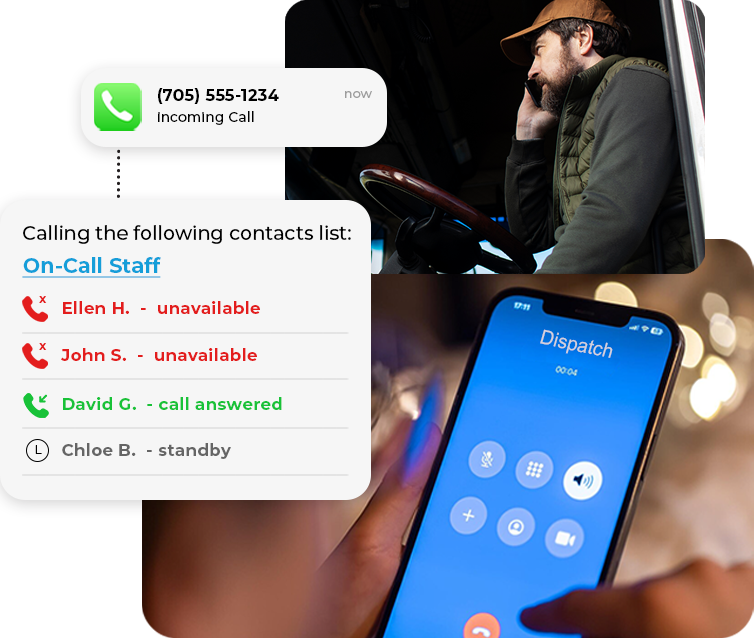
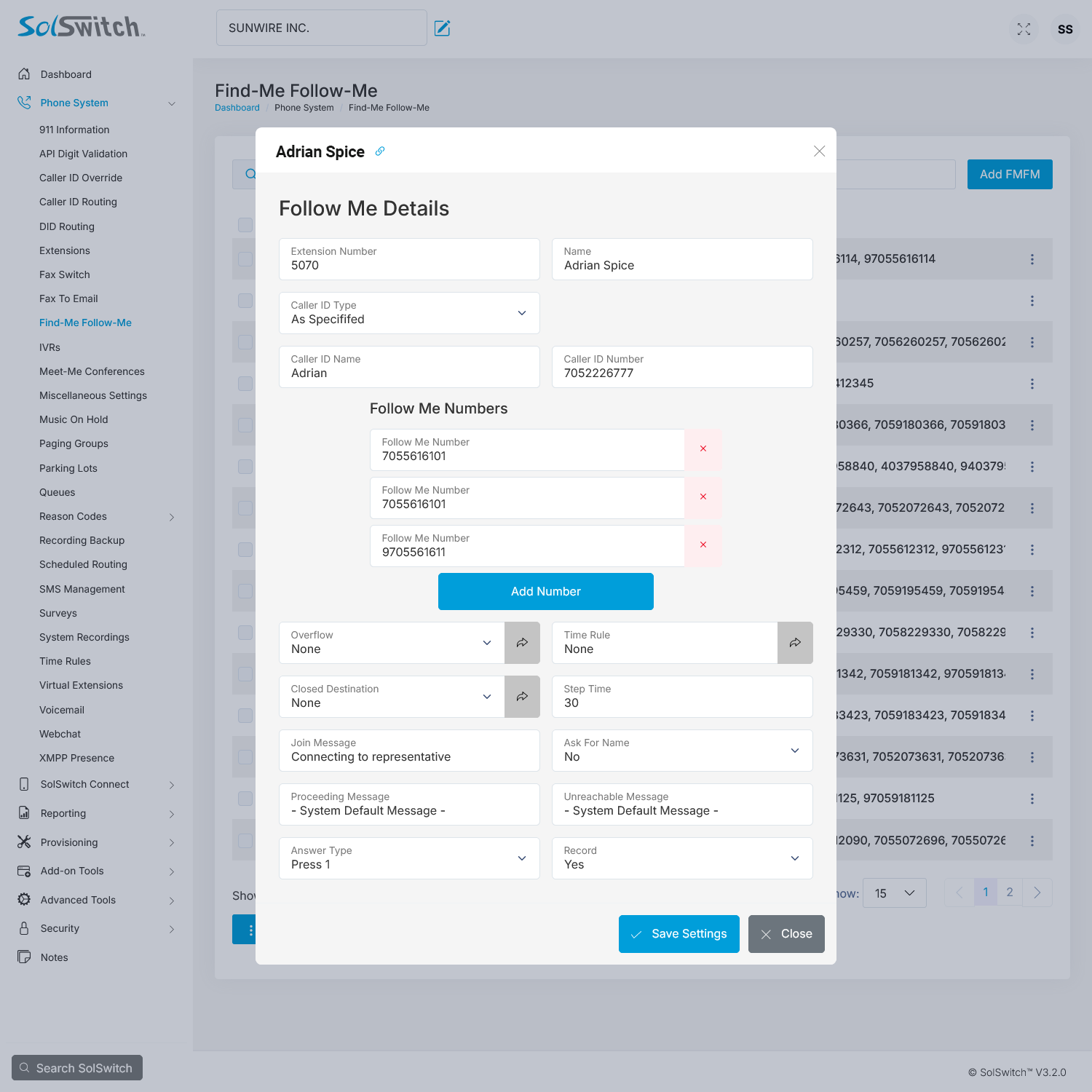
The SolSwitch has the ability to look for users by calling a succession of extensions or telephone numbers while keeping the incoming call on hold. You can have as many numbers as you wish. Perfect for emergency contacts or on-call work.
- Popular in the following industries:
- Emergency Services
- Trades
- Professional Services
- Industrial
Auto-Attendants (IVR) and Time Rules
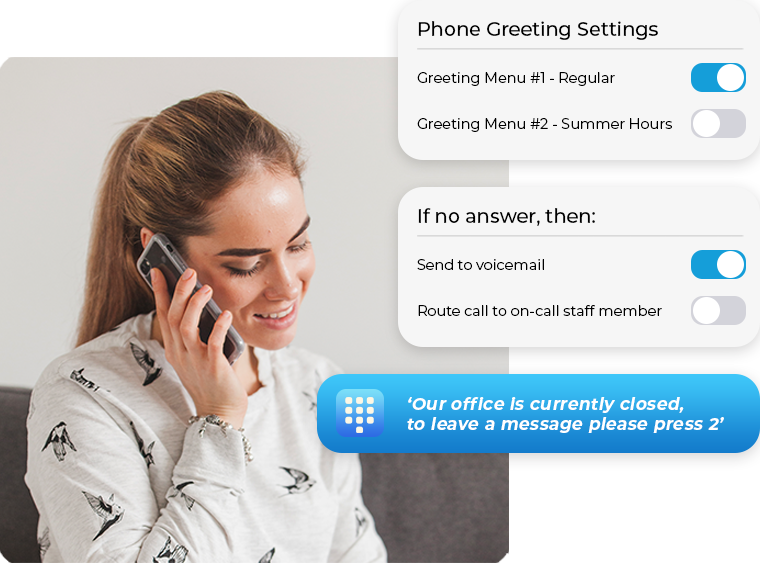
Setup a basic or advanced automated attendant that allows callers to navigate the phone system using pre-recorded voice prompts. Route calls to staff, outside agents, mobile devices, external offices, voicemails, other companies or a combination of it all based on the day or time you specify. The possibilities are literally endless.
- Popular in all industries!
-

Administrator Web Portal
Easily customize and adjust your entire system on the fly with the click of the mouse.
-

API Integration Access
The SolSwitch allows for external applications to interact with the system.
-

Auto-Attendant (IVR)
An IVR allows callers to navigate the phone system using pre-recorded voice prompts and touch-tone or vocal responses.
-

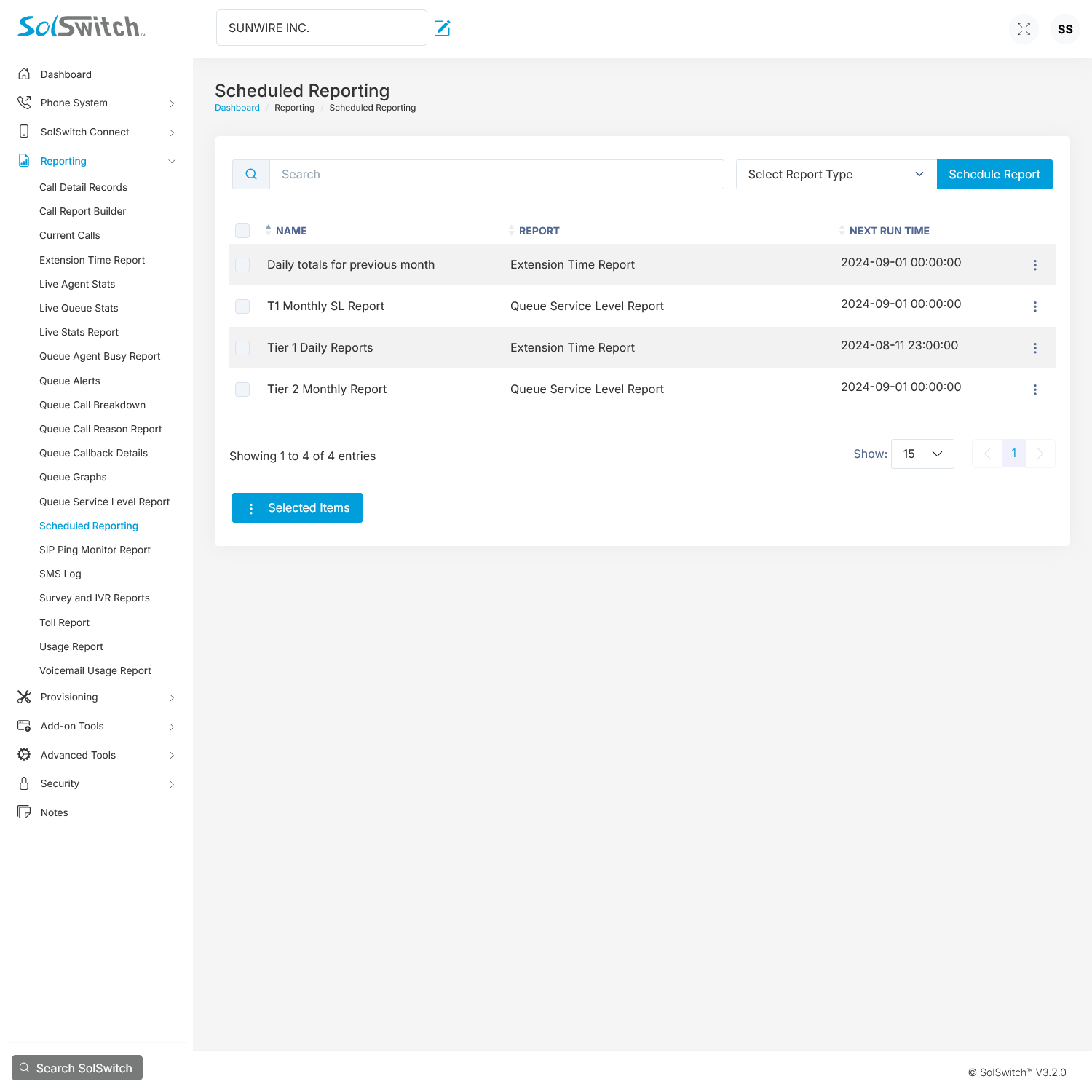
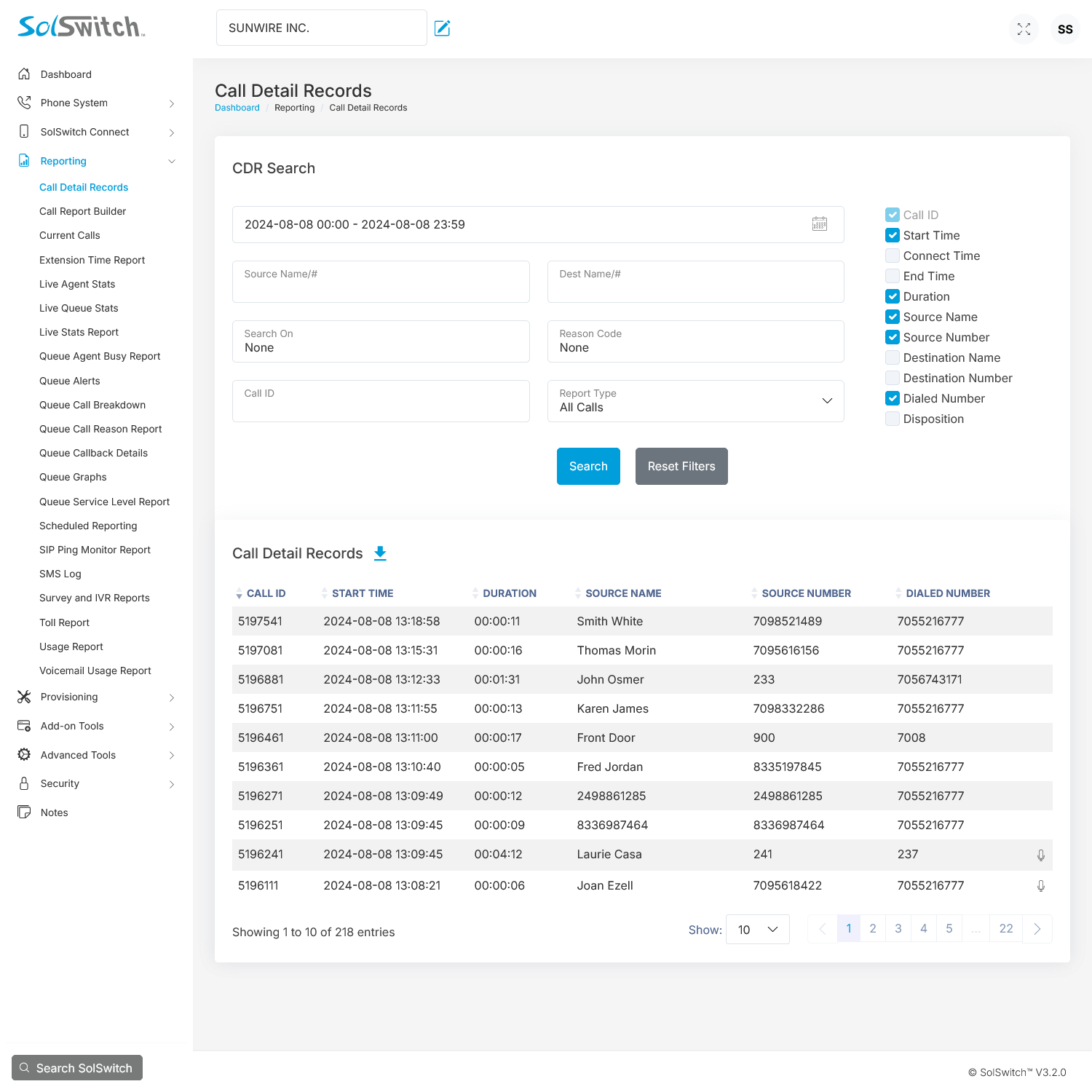
Call Detail Records
Provides every call history, call path and other vital call information.
-

Call Forwarding
Forward unavailable calls and/or busy calls to specific locations or phone numbers.
-

Call Hold
Place a call on your phone's private hold.
-

Call Monitoring and Coaching
Supervisors can guide, listen or join-in on calls for training and quality control.
-

Call Parking
Park the call and pick it up from any other phone on the system.
-

Call Recording
Record a phone conversation and have an audio file sent to your inbox for future review.
-

Call Transcription
Have calls automatically converted into an easy-to-read transcript - sent to your inbox.
-

Call Transfer (Blind)
Transfer any call currently in progress to any extension or outside number.
-

Call Transfer (Attended)
Just like a blind transfer but with the ability to forwarn the recipient of a transfer.
-

Call Waiting
The ability to take an additional incoming call when already on one call.
-

Caller ID Routing
Route calls to specific destinations based on the incoming Caller ID information.
-

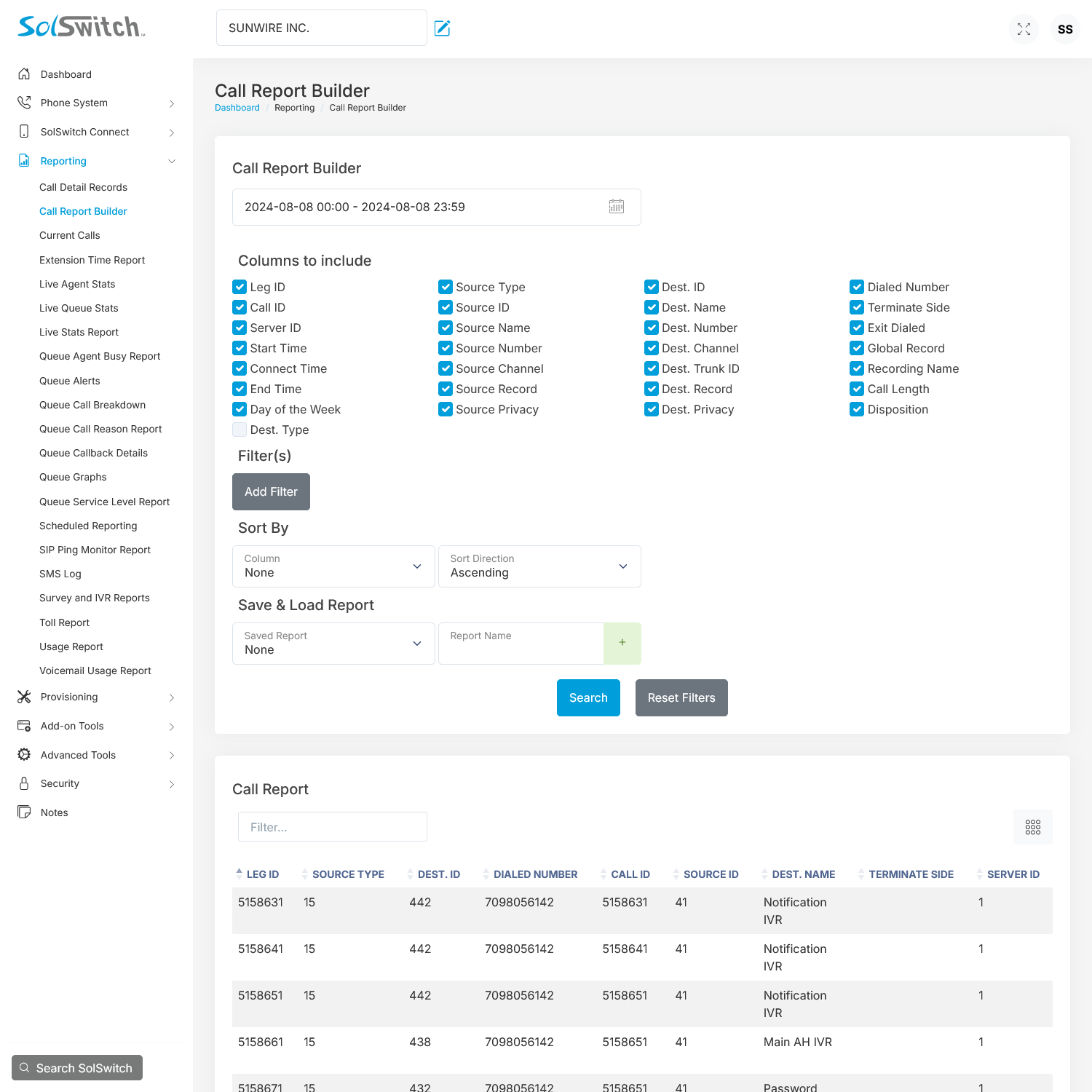
CDR Report Builder
Build and save custom Call Detail Record reports using specified filters and parameters.
-

Current Call Report
Displays all active calls currently taking place with relevant call detail information.
-

Custom Solutions
We tie into existing software so you can make the most of your phone solution.
-

Device Provisioning
Bind your device to a specific server, feature profile and directory profile.
-

DID Routing
Route incoming calls for all of your numbers to any destination on the system.
-

Directory Profiles
Directories include a corporate directory and a local directory.
-

E911 Caller ID
The option to display a different caller ID number when 911 is dialed.
-

Extensions (Unlimited)
Extensions are assigned to agents of the system and can be routed to multiple endpoints.
-

Extension Time Report
A detailed report of inbound and outbound call details per extension(s) and/or queue(s) within specific dates.
-

Fax-to-Email
Route incoming faxes directly to specific email addresses in the form of a PDF.
-

Feature Profiles
Custom phone profiles that show the number of lines, line labels, directory listings, soft keys and more.
-

Find-Me Follow-Me
The ability to look for a user by calling a succession of extensions while keeping the incoming call on hold.
-

High-definition (HD) Voice
Hear life-like voice clarity and high-fidelity sound for more productive conversations over the phone.
-

Inbound Call Block
Block unwanted incoming calls based on the caller ID information.
-

Intercom
Bi-directional hands-free extension-to-extension communication at the touch of a button.
-

Live Agent Stats Report
A live dashboard presenting a breakdown of all agents and queues along with countless related live stats.
-

Live Queue Stats Report
Get live details for all queues including total calls, callbacks, available agents, answered calls, and more.
-

Live Real-time Presence
See the status of your colleagues at a glance and know if they are on a call, busy or available for a call.
-

Meet-Me Conference Bridge
Conference calls that support system announcements, moderators and participants, listen-only, private rooms and much more.
-

Multi-site Connectivity
Manage branch offices however you like while retaining one system and internal calling using extension-to-extension.
-

Music on Hold
Play pre-programmed royalty-free music, upload a playlist or enter a stream for your callers to hear while they are on hold.
-

Outbound PDF Faxes
Eliminate the need for a fax machine - upload and queue a DPF attachment to be sent to a fax number or numbers of your choice.
-

Outbound Routing
Route calls based on the number or prefix dialed. Each route can be configured with a number of secondary routes as backups.
-

Paging Groups
Easily broadcast a message to any number of extensions at one time.
-

Portal Permissions
Each portal user type can be given unique permissions set to either allow or deny access to specific portal pages.
-

Portal Users
Create unique portal users to give employees access to the administrative portal, each with their own user type.
-

Portal User Types
Create specific types of users in order to designate different permissions within the administrative web portal.
-

Post-Call Surveys
Have callers provide feedback on their experience after calls are completed.
-

Privacy Options
Configured on each individual extension, those with privacy enabled will be excluded from call recordings and call monitoring.
-

Queues (Unlimited)
Queues are used as a way of handling incoming calls by following infinite rulesets specified by the system's administrator.
-

Queue Agent Busy Report
When 'busy codes' are configured, this report will present which agents and which queues used which 'busy codes'.
-

Queue Call Reason Report
When 'reason codes' are configured, this report will present which agents and which queues used which 'reason codes'.
-

Queue Call Breakdown Report
A report filtered by queue that displays a variety of daily statistics including: calls queued, calls handled, wait times and more.
-

Queue Callback System
Allow callers to hold their spot in a queue and be automatically called back when the position is reached rather than wait on hold.
-

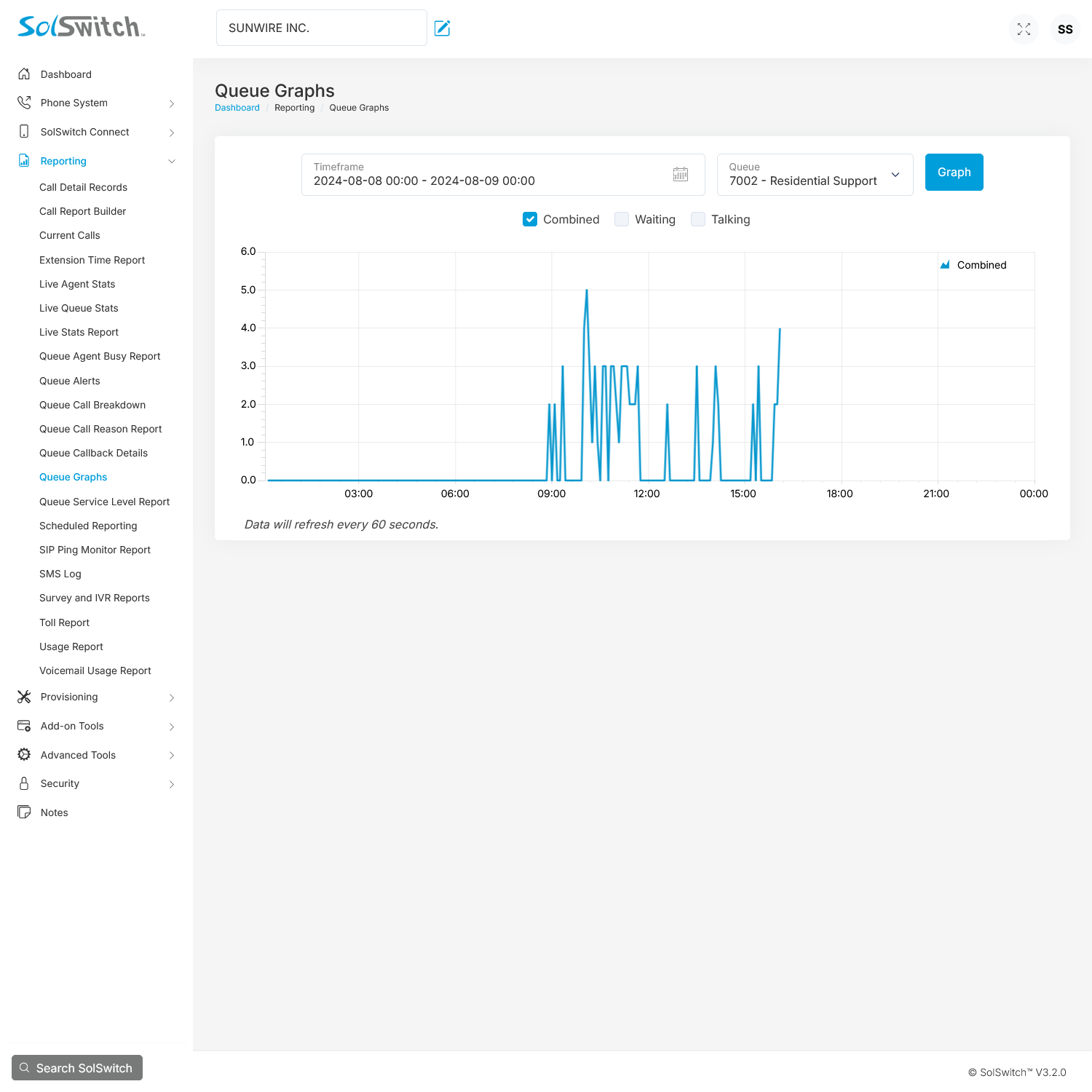
Queue Graphs
This feature generates a graph which represents queue activity between selected date and times.
-

Real-Time Log
View real-time debugging logs regarding the VoIP activity or provisioning activity on the system.
-

Reason Codes – Busy Reason
Great for agent monitoring, Busy Reason Codes require agents to use a pre-determined 'busy code' when setting their status to busy.
-

Reason Codes – Call Reason
Excellent for call tracking purposes, Call Reason Codes require agents to enter the a 'reason code' after each call has ended.
-

Record on Demand
Any extension can record a call manually at the push of a button. Even when 'Record' is pressed mid-call, the entire call gets recorded.
-

Reporting and Live Stats
Track every leg of every call, live queues and evaluate important call data insights.
-

Ring Groups
A simplified version of a Call Queue, Ring Gruops allow you to have a single extension ring multiple devices.
-

Roaming Extensions
Also known as hot-desking, you can log in and out of any phone set on the system. Great for shared desks or multiple workstations.
-

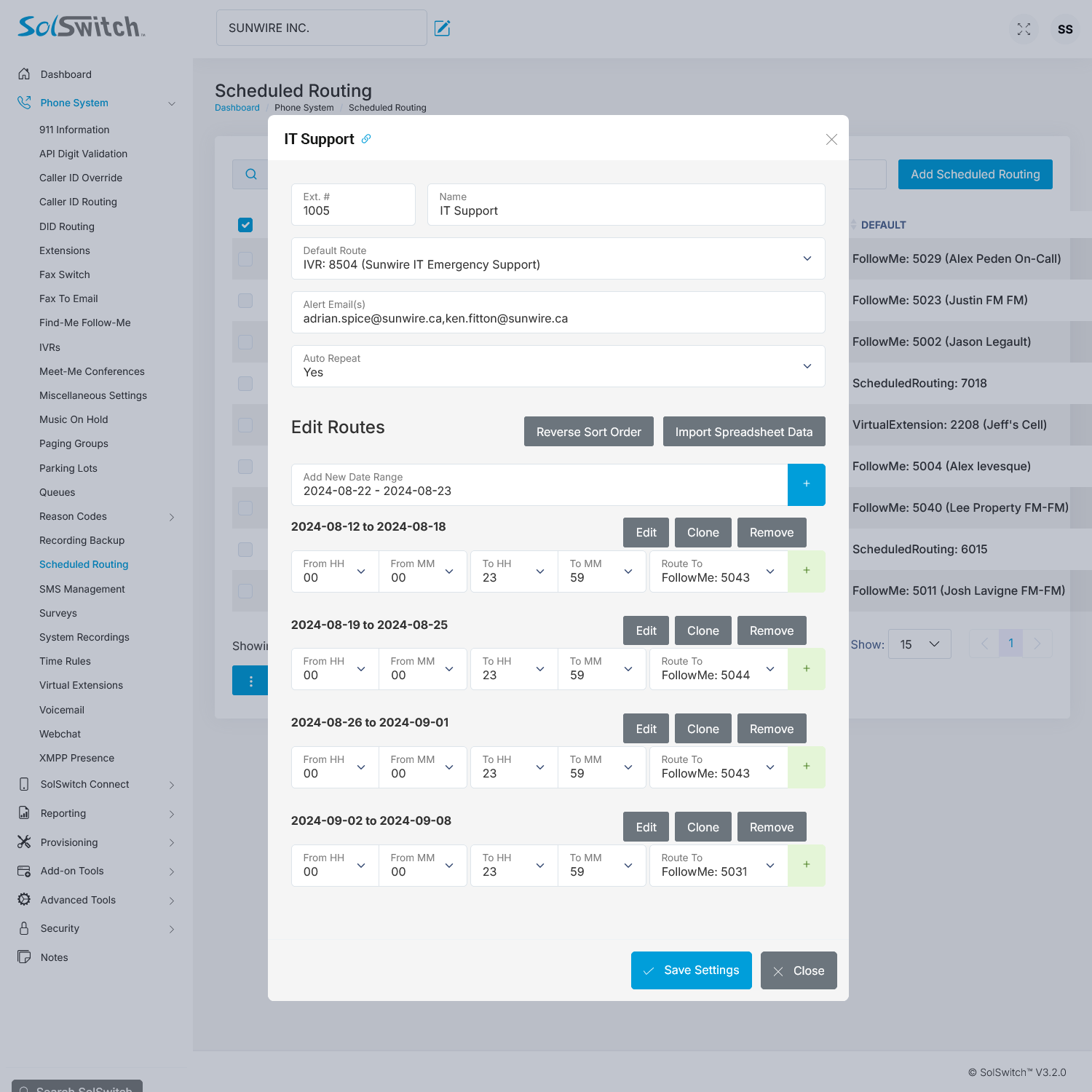
Scheduled Routing
Schedule call routing behavior for specific date ranges and time frames. Perfect for after-hours or on-call schedules.
-

SIP Ping Monitor Report
This feature generates a graph which represents SIP account activity between selected date and times.
-

Skill-Based Call Routing
Route calls to specific people based on the skillset they posess and criteria you set.
-

SolCast: Broadcast System
An automated system capable of calling, texting or emailing a set of recipients.
-

Speed Dialing
Set custom speed dial lists and assign them to individual extensions.
-
Surveys
Surveys allow callers to provide feedback on their experience once a call has finished.
-

System Status Report
Get details regarding your system's database, server status, total processed calls and system uptime.
-

Three-Way Calling
Conference a call with two other callers in order to have a 3-way phone discussion.
-

Time Rules
Program your system to route incoming calls appropriately, any time, day or night, weekend or holiday.
-

Toll-Free and Local Numbers
Port over or obtain new toll-free numbers and local numbers for different areas.
-

Trunk Management
Configure, add, modify and remove trunks. A trunk provides connectivity to and from a provider or a client.
-

Trunk Usage Report
Trunk usage allows clients to view a list of their trunk names, usage levels and graphical data for analysis.
-

User Extension Management
The Administrative Web Portal has the ability to give each user access to certain features exclusive to their extension.
-

Virtual Extensions
Assign external telephone numbers (e.g.: cell phone, land line) as a local internal extension.
-

Virtual Faxing
Eliminate the need for a fax machine; route faxes to email addresses as a PDF.
-

Voicemail (Unlimited)
Every SolSwitch is pre-packaged with our feature rich voicemail system, accessible from individual phone sets or remote devices.
-

Voicemail-to-Email
Voicemail messages can be delivered by email to one or multiple addresses so that they can be listened to from your inbox or mobile.
-

Voicemail Transcription
Voicemails delivered via email can include a voice recognized transcription of the message.
-

Voicemail Usage Report
A report that displays all of the voicemails on the system along with their associated extension and mailbox size.
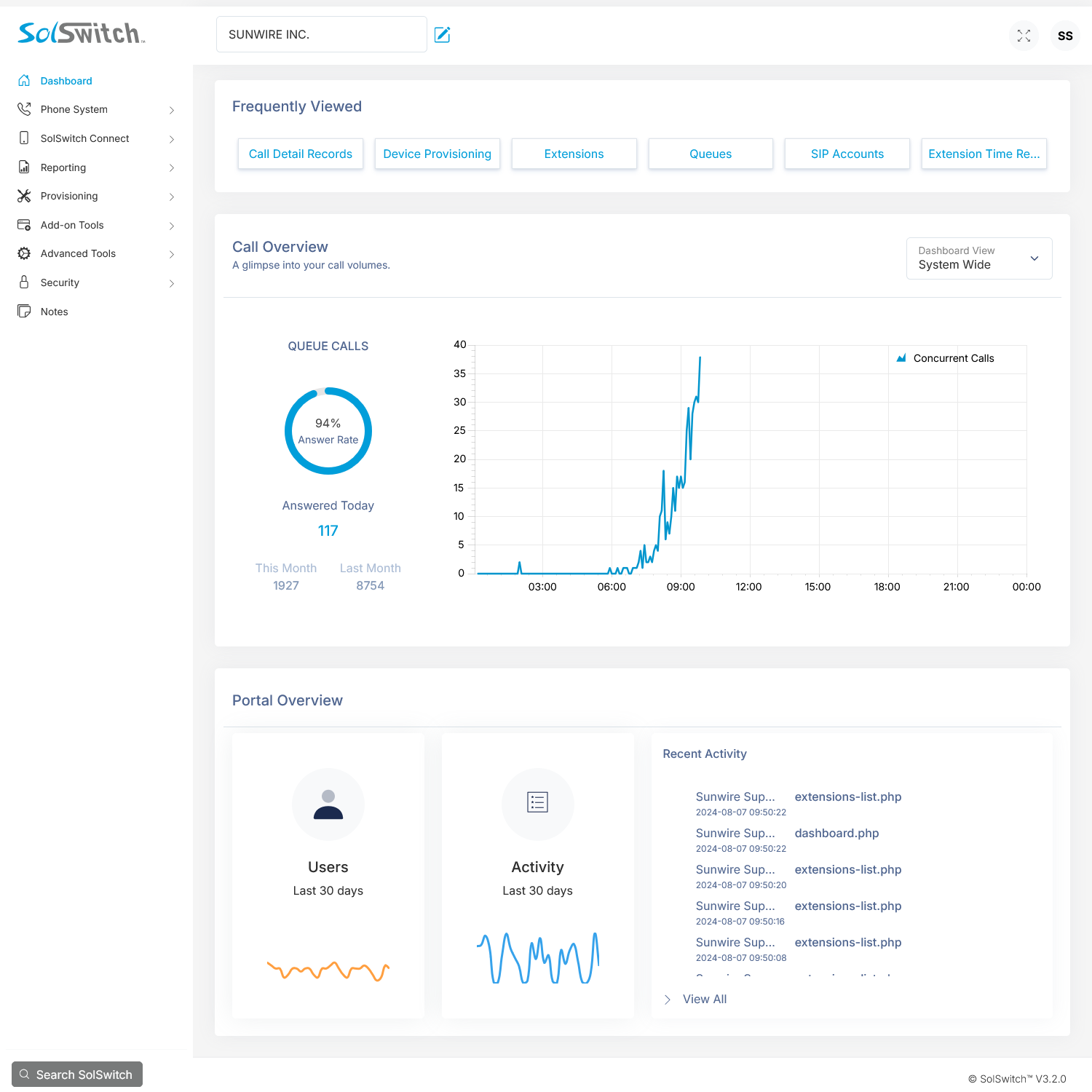
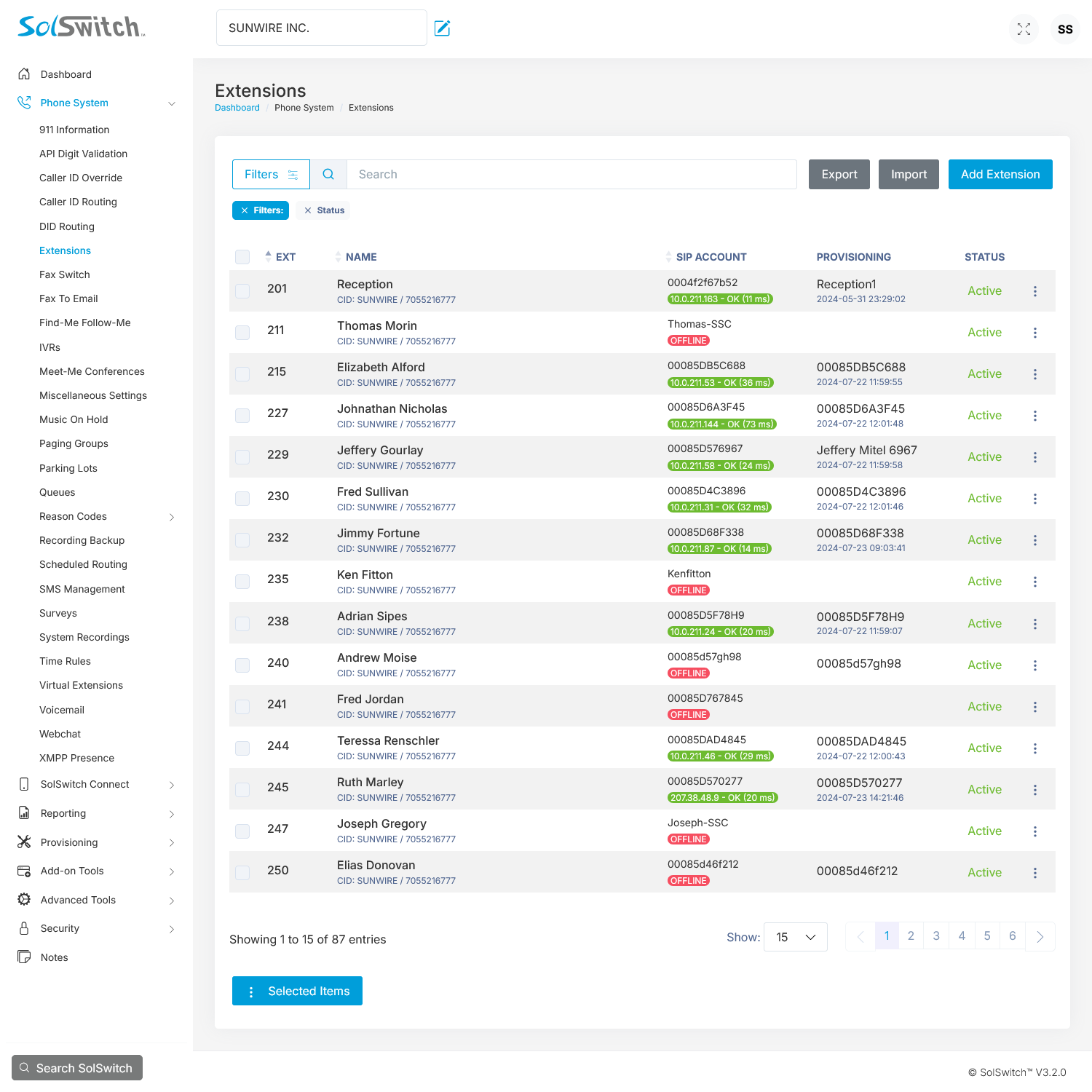
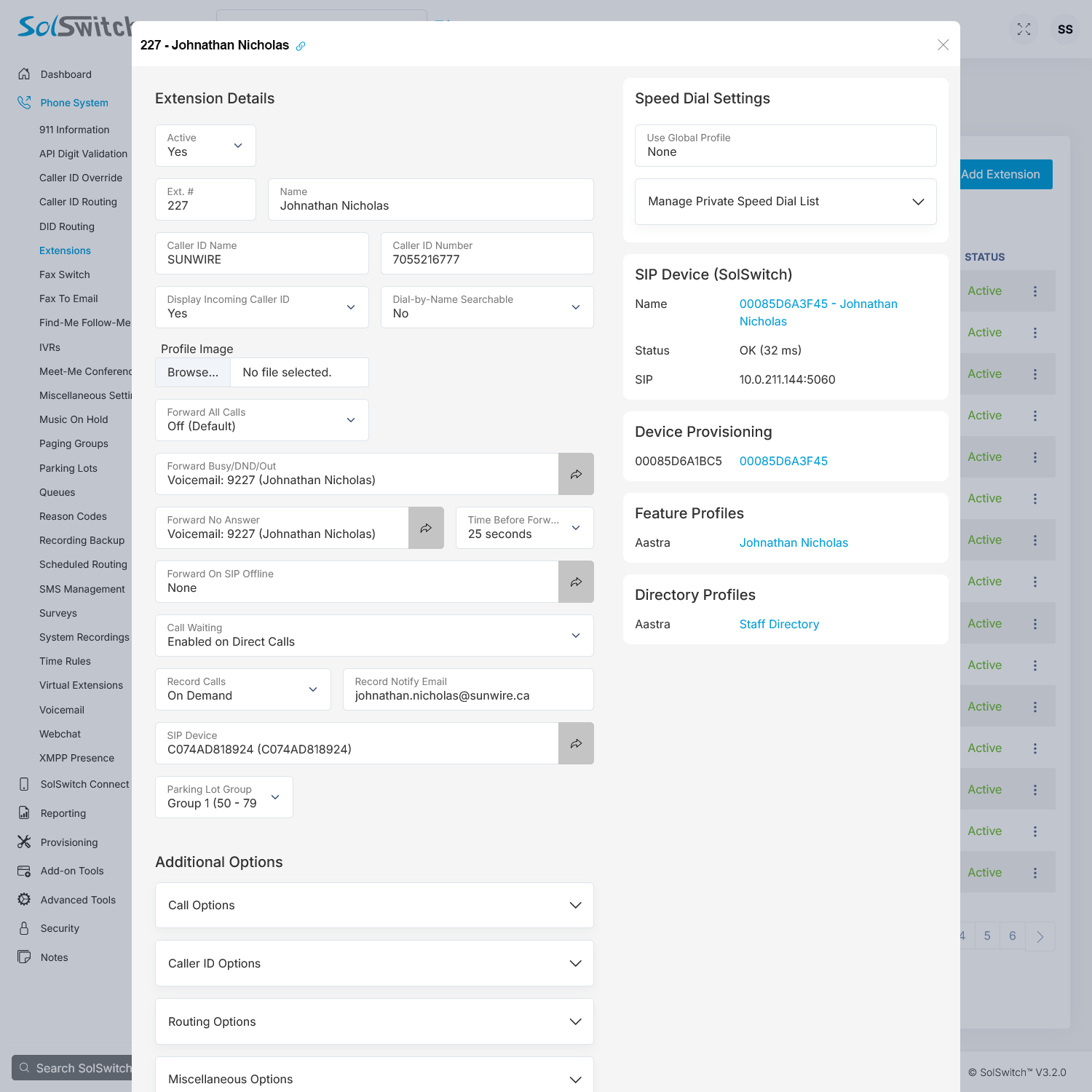
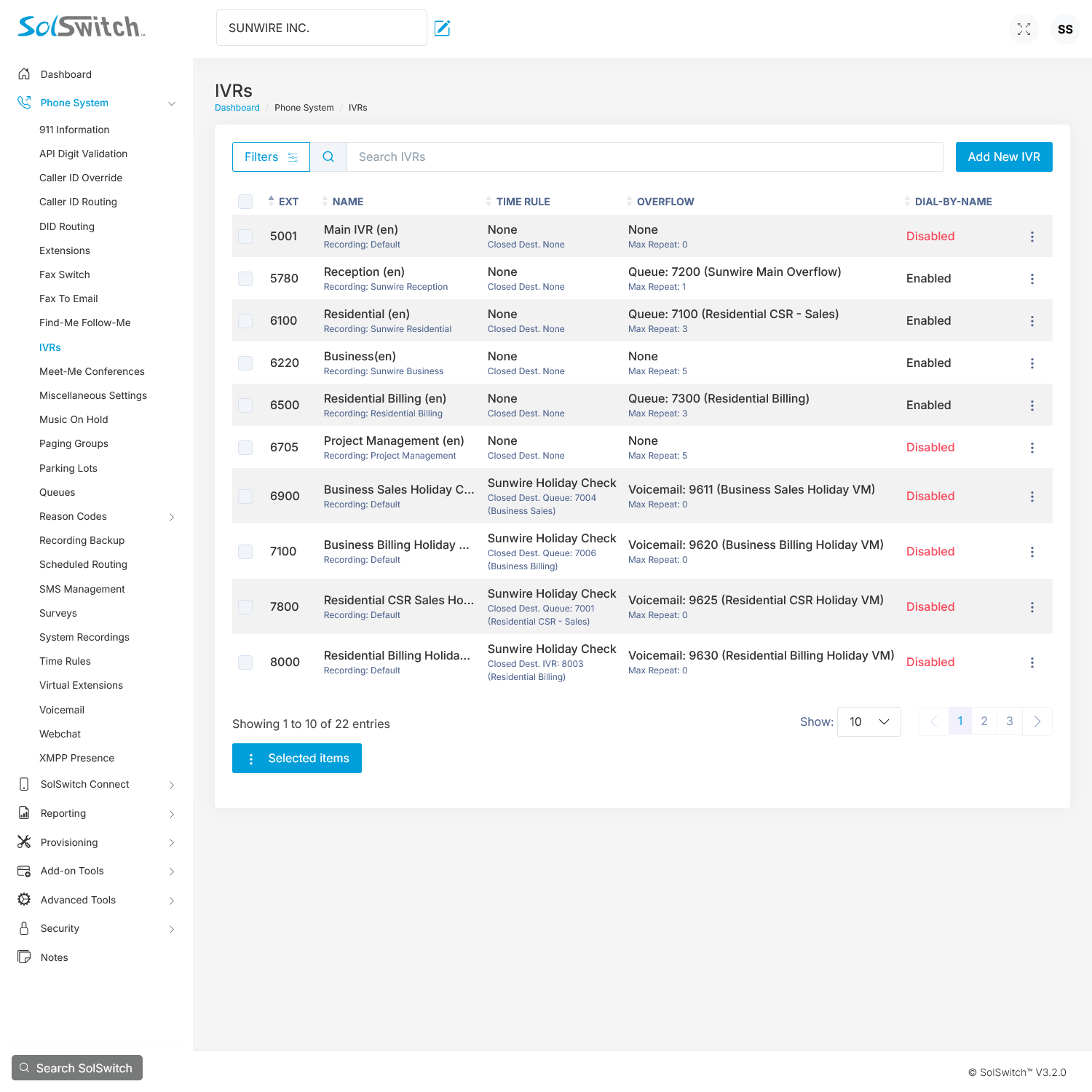
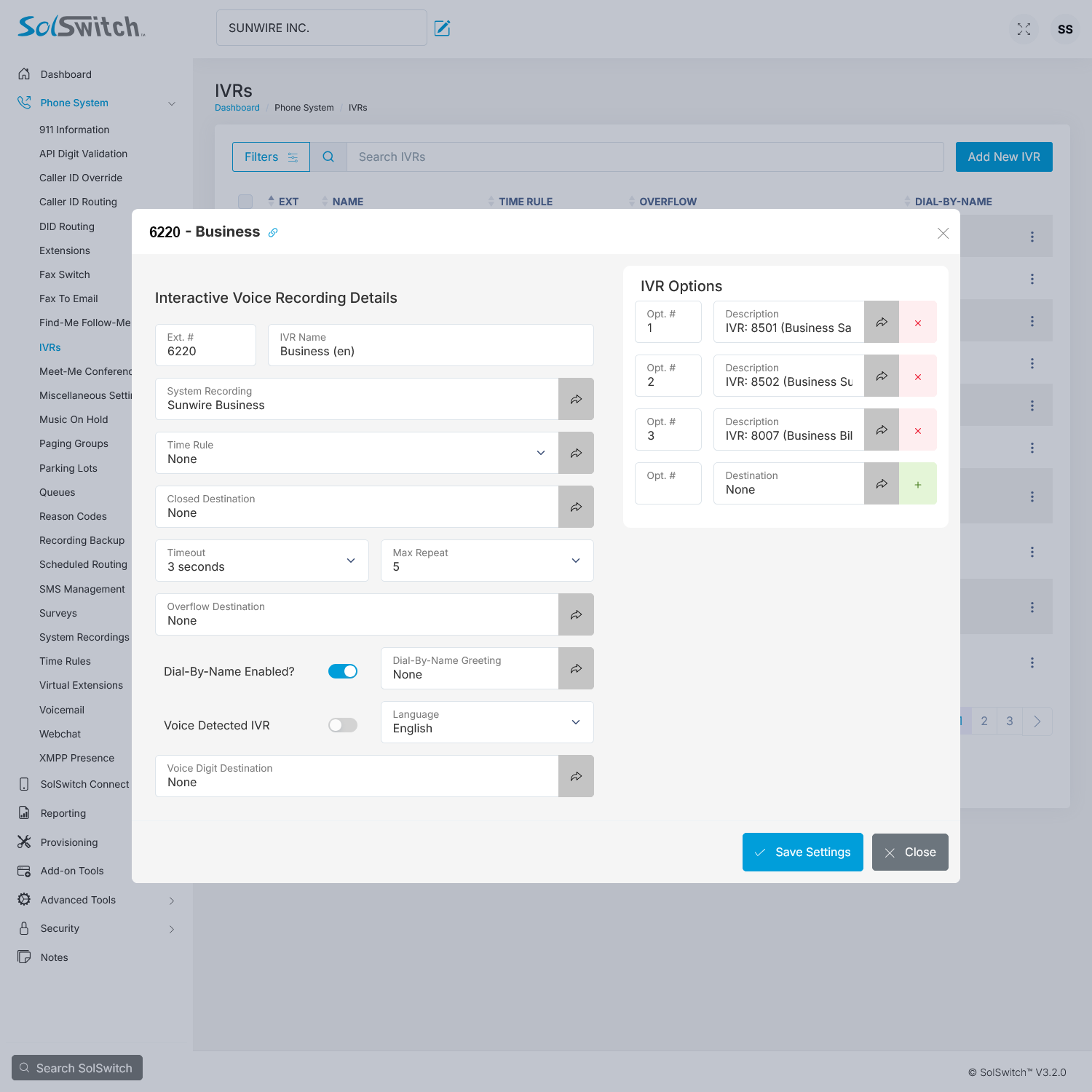
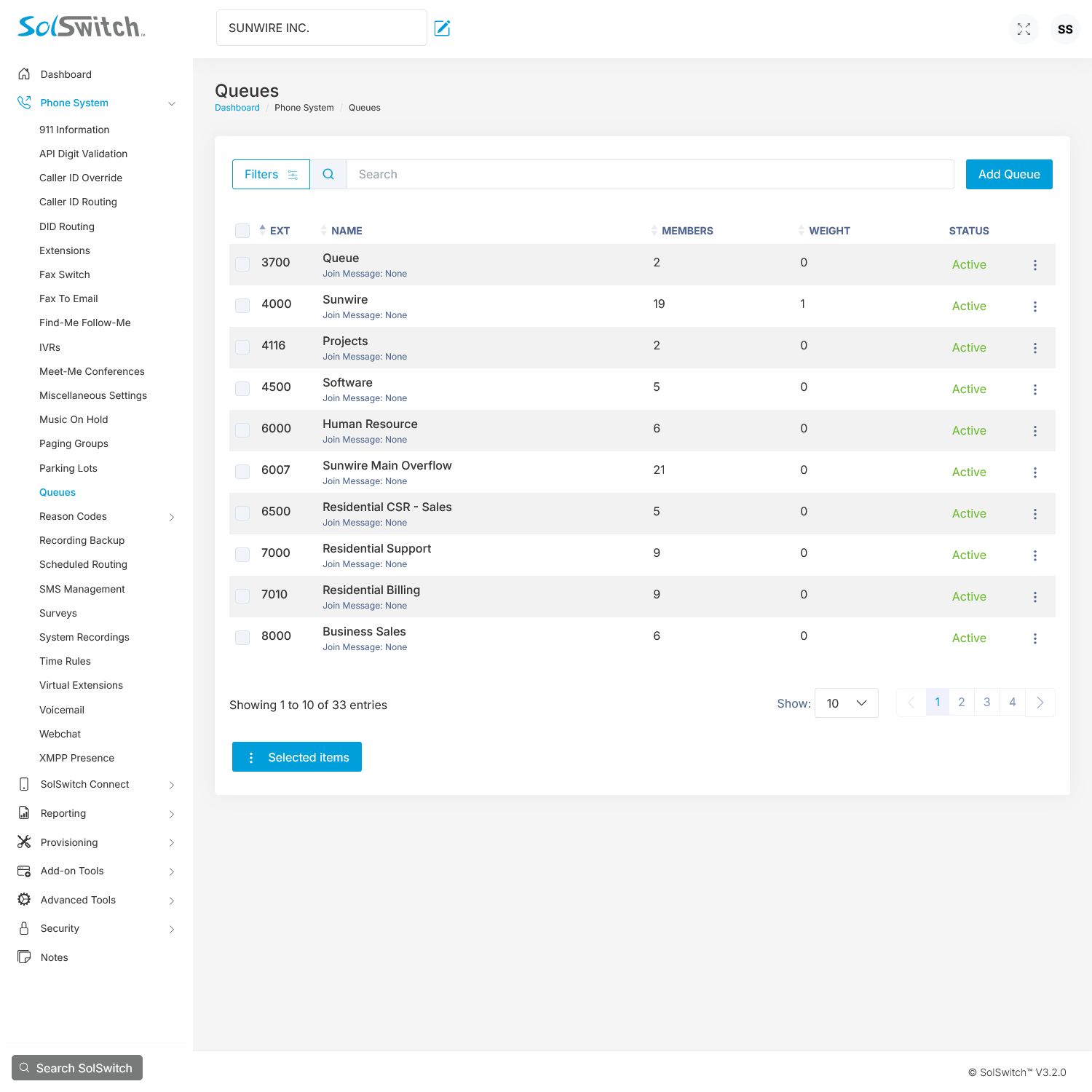
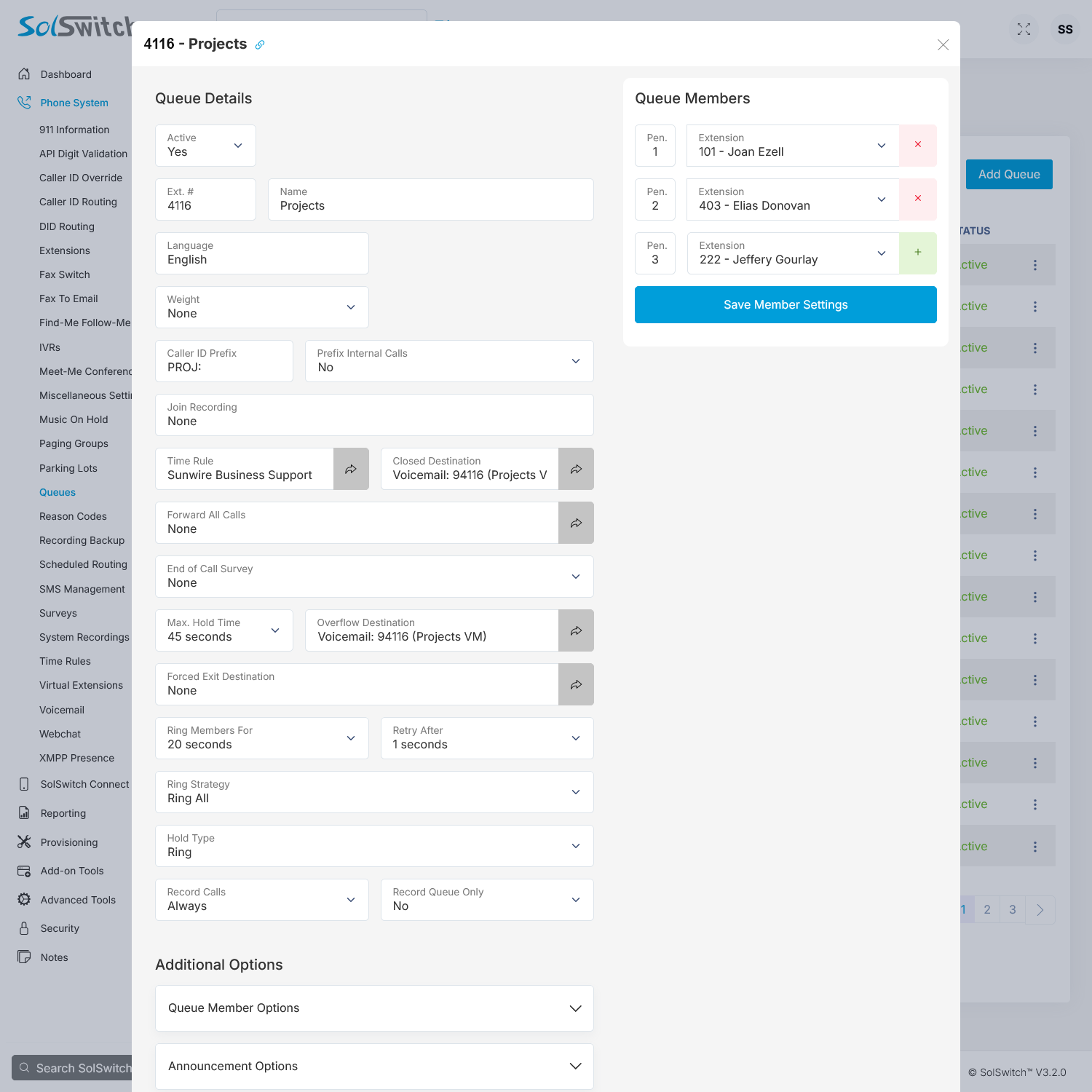
We make it easy to adjust your system.
Administrator Web Portal
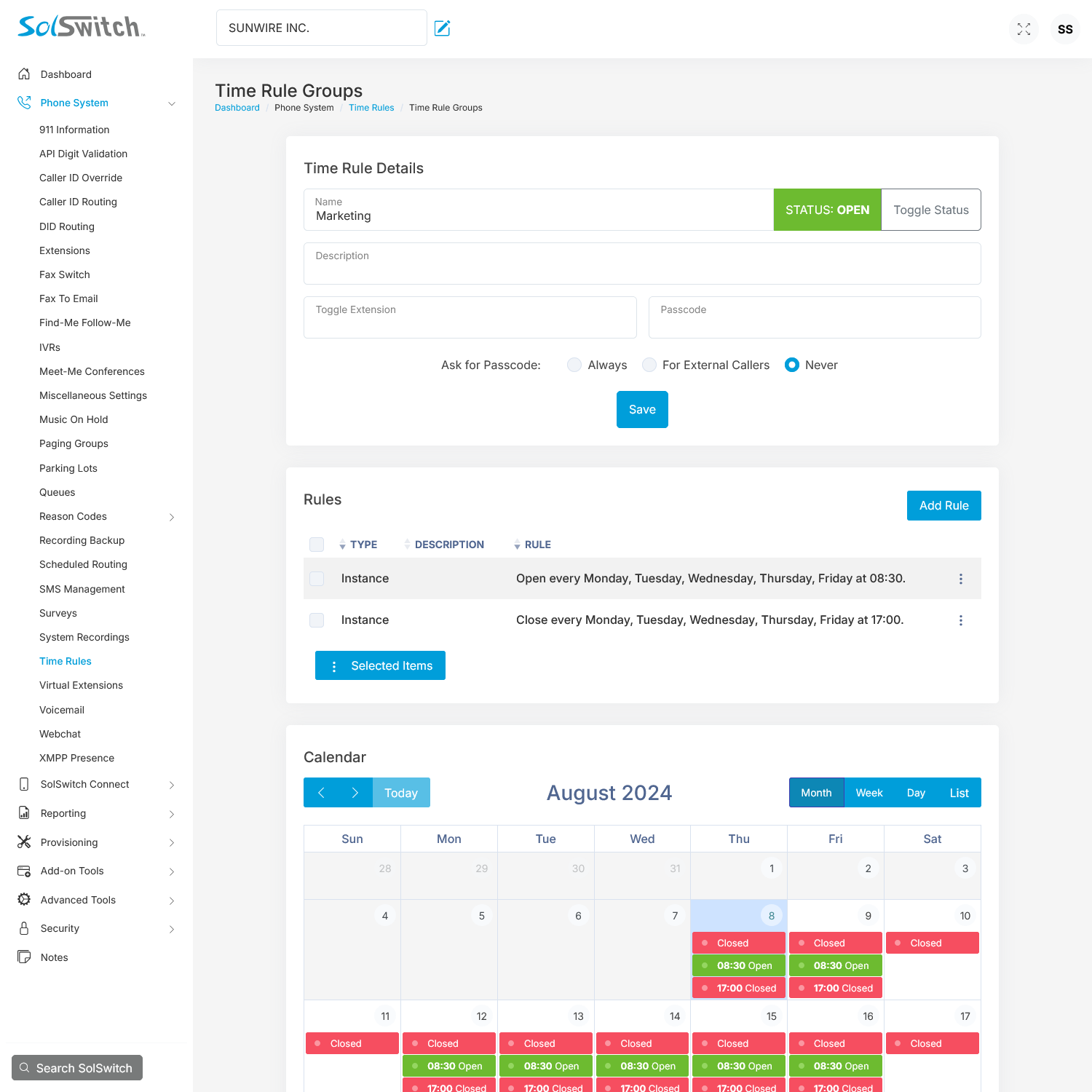
100s of Customizable Features
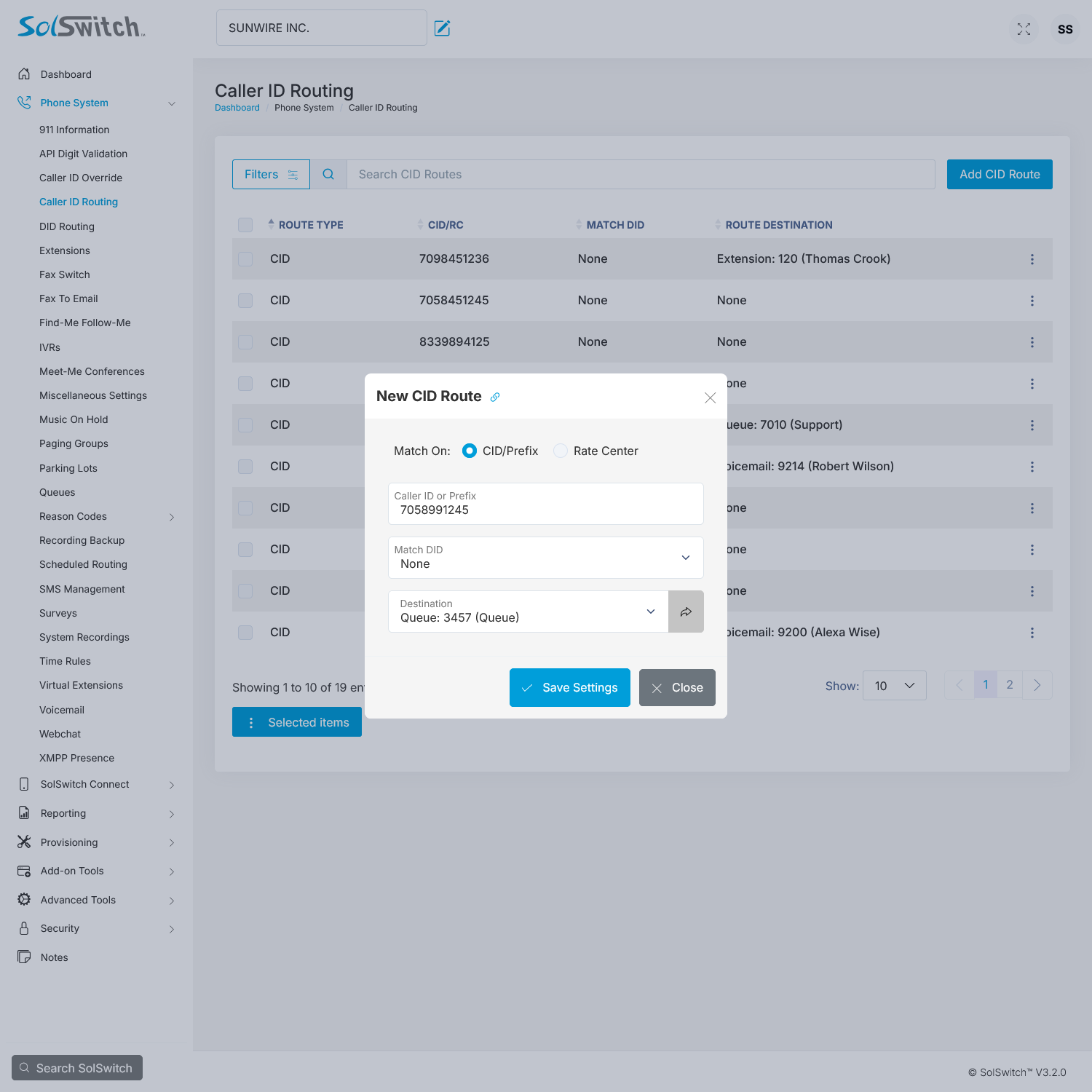
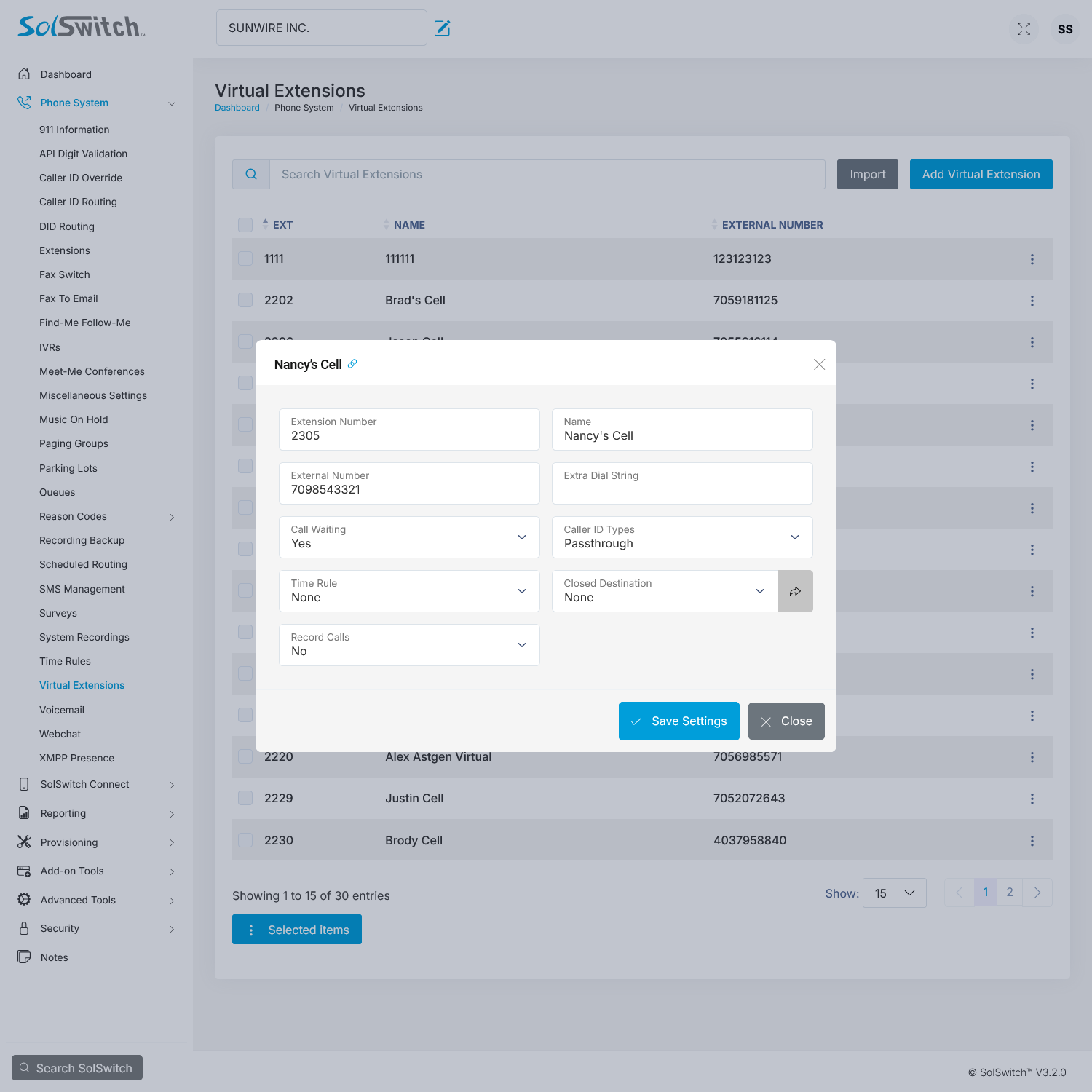
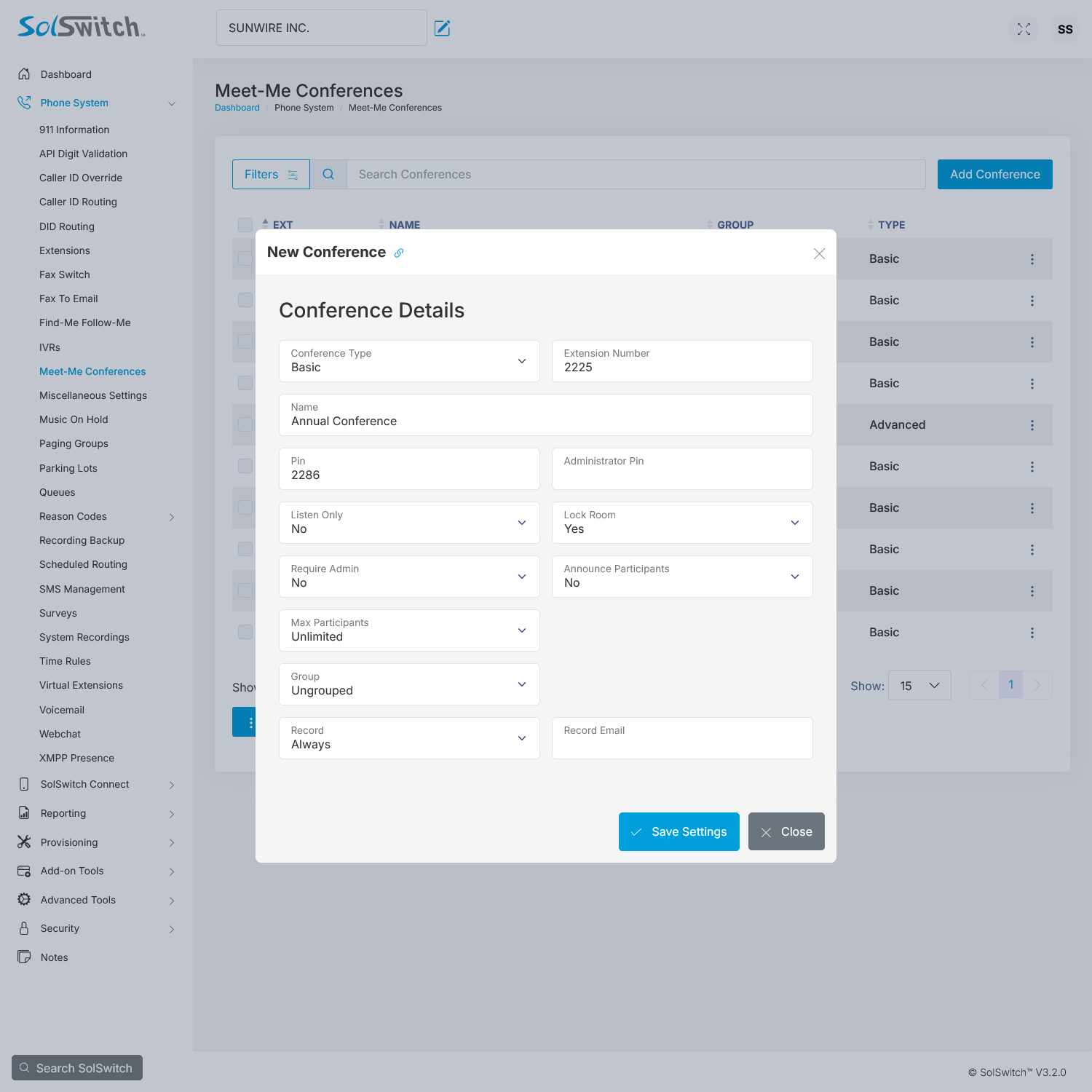
Our latest software release, SolSwitch version 3.0, allows users to instantly control and edit their communication system's features and functionality using a web portal.
- Create unlimited Portal Users with specific permissions.
- Add, edit, remove features and settings in real-time.
- Create unlimited extensions, queues, auto-attendants and time rules.
- Manage System Recordings, Music-on-Hold, SolCast auto-dialer.
- Customize a range of call centre features for maximum functionality.
- Get detailed historical data and live reporting to track performance.
- Configure API settings and external integrations.
- Monitor the health of your system to ensure peak performance.
Why should you have to wait days or weeks and involve several departments to make basic changes. Take control of your telecommunications - wherever work takes you.
Integrate with Microsoft Teams
Make the most of your Teams experience; combine it with the SolSwitch.
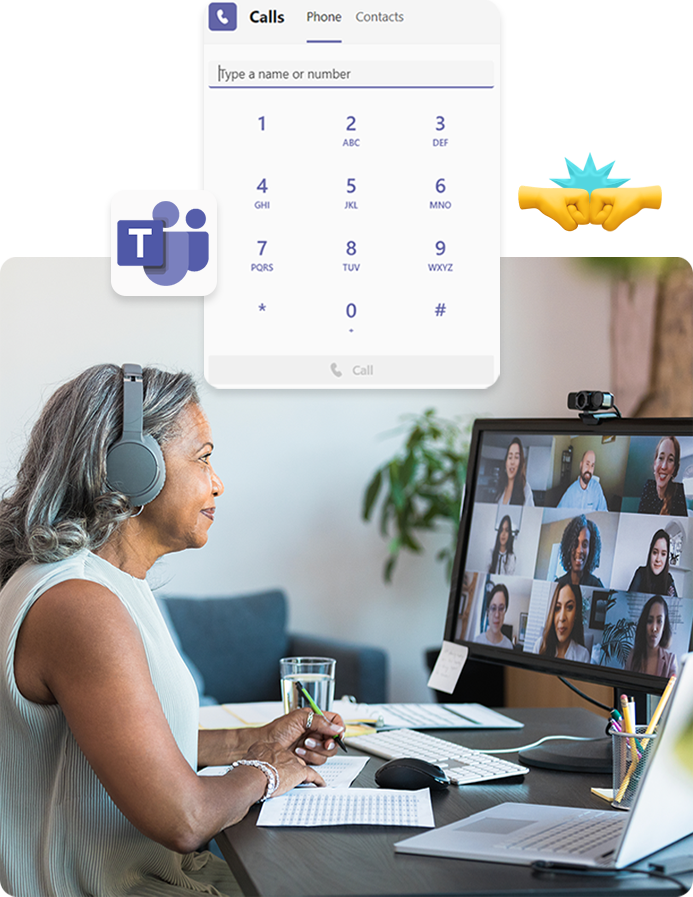
Transform Microsoft Teams into a Phone System via Direct Routing
Start Calling
Place and receive phone calls directly from the Microsoft Teams interface. All external (inbound/outbound) calls will be routed accordingly by Sunwire's SolSwitch.
One Number for All Your Needs
Maintain your extensions - there is no need for each user to have their own phone number. You can make and receive calls from the organization's main telephone number(s) using the SolSwitch's advanced phone features.
Advanced Features and Sunwire Support
Use the SolSwitch's auto-attendant, queues, time rules, voicemail-to-email and more. For ongoing support, you can always count on Sunwire's team to assist whenever required.
Frequently Asked Questions
A business phone system is like the brain behind making and receiving of calls for an organization. Also known as a PBX (Private Branch Exchange), it is often a mix of hardware and software that handles routing and switching of calls between a business and the telephone network.
Originally, the 'PBX' was nothing but a switchboard operator. It's name originates from the way it interacts with the PSTN (Public Switched Telephone Network).
Today, phone systems such as the SolSwitch, have evolved into suites of Unified Communications tools that cover a wide range of corporate telecom needs.
You’ll still need phones, network equipment and internet access, but the SolSwitch PBX itself runs in the cloud. There’s no on-site SolSwitch server to maintain.
Yes. Remote and hybrid workers can use SolSwitch Connect, Teams or compatible IP phones to keep their extension and features wherever they work.
Because both models use the same core platform, many customers migrate from on-premise appliances to hosted SolSwitch, or run a hybrid mix as part of a longer-term plan.
In most cases, yes. Numbers can usually be ported into the SolSwitch environment or connected via compatible carriers. This is confirmed during the design phase.
Timelines depend on the number of sites, users, carriers and integrations. Many hosted deployments can be scoped and rolled out in a matter of weeks with a defined project plan.
Sunwire can provide you with a local number to any area in North America, a toll-free number or short codes for SMS texting.
Although each company has a unique set of communication requirements, the most popular items that businesses typically look for in a communications platform include:
- Support: The ability to fully support customers before, during and after deployment. Downtime is costly - this should be considered when choosing a communications solution.
- Reliability/Redundancy: We understand the importance of ensuring your business is operating as best as possible. Sunwire provides advanced support options, high-availability and load-balancing systems as well as a wide-range of additional redundancy options.
- Features/Functionality: Systems must perform so much more than tasks of just a phone system. The SolSwitch has 100s of customizable unified communication features and functionality.
- Security: Sunwire is SOC 2 compliant in order to provide you with the utmost peace of mind. As a Cybersecurity and IT provider, Sunwire's experts are very familiar with safeguarding information.
- Costs: The main reason companies move away from traditional systems to VoIP systems are for cost-savings.
- Scalability: Growing your communication system as you grow your business is not only easy and cost-effective - it can all be done with quickly and at your pace.
WE'RE EASY TO REACH
Contact Us
Call, text or email below.
Call or Email
Visit Us
850 Barrydowne Road
Sudbury, ON
P3A 3T7